
Service overview
About Education Mobile App Development
Understand the business value, delivery considerations and technical decisions involved in planning this service.
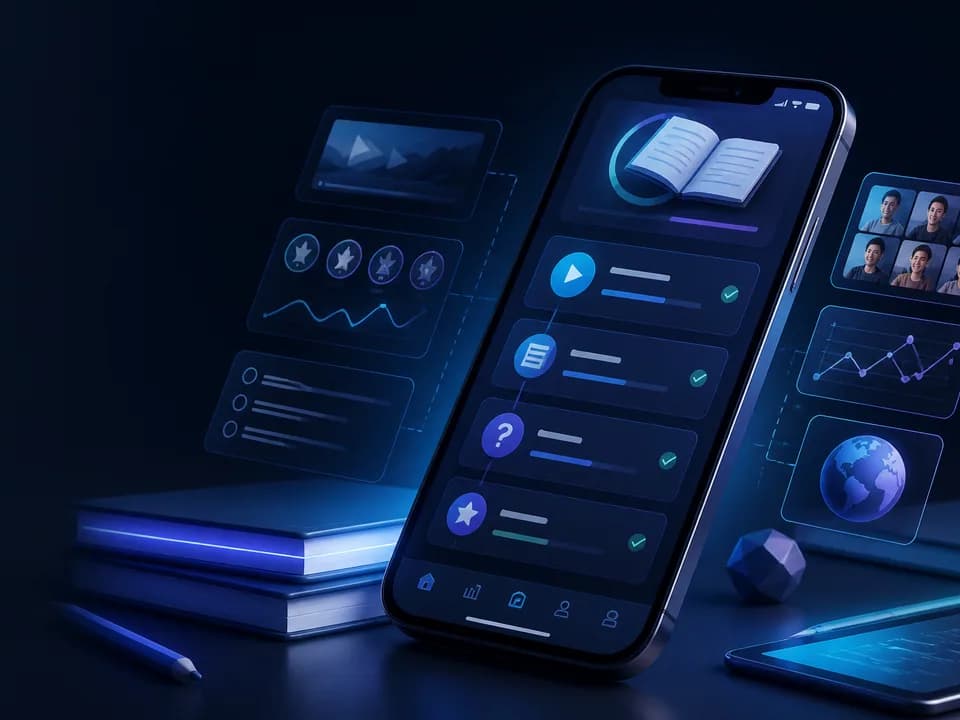
Education Mobile App Development is the research, instructional-product design, software engineering and operational work needed to deliver structured learning through Android and iOS applications. A capable education app can help a learner enroll, understand a course path, study video and reading material, complete interactive practice, submit assignments, receive feedback, join a live class, download eligible content, continue across devices and review progress. It can also give instructors, guardians and administrators carefully scoped tools appropriate to their roles.
Skillonit's Education Mobile App Development services can cover discovery, curriculum and content modeling, learner UX, teacher and administration workflows, native or cross-platform mobile engineering, onboarding and enrollment, course and lesson delivery, video and documents, assessments, assignments, rubrics, progress, offline downloads, synchronization, live-class integration, notifications, learning analytics, LMS and student-information-system integration, accessibility, localization, security, privacy, release engineering and maintenance. Exact scope follows the audience, pedagogy, institution, content, age group, market and operating model.
Software can make learning materials more reachable and practice more organized, but it cannot guarantee understanding, examination performance, employment, completion or any other learning outcome. Those outcomes depend on curriculum quality, instruction, learner circumstances, assessment validity, motivation, support and many factors beyond an application. The app must not describe a course, certificate, credit, qualification, accreditation or placement promise more broadly than independently approved evidence allows.
This page does not claim that Skillonit or a future product is accredited, legally compliant in every market, accepted by an institution, approved for children, able to prevent cheating or guaranteed to improve grades. Illustrative scenarios are requirement patterns, not Skillonit case studies. No learner count, completion rate, score improvement, partner, certification, office or outcome is invented.
Direct answer
An Education Mobile App Development company helps an education provider, institution, publisher or training organization turn an approved learning program into an accessible, secure and maintainable mobile product. The work normally includes defining learner and staff roles, modeling courses and lessons, implementing media and interactive content, building assessments and assignments, connecting authoritative learning systems, supporting offline continuity, protecting student information, testing accessibility and devices, releasing through app stores, and maintaining the product as content and platforms change.
The application should preserve educational meaning. A learner opening a lesson is not the same as completing it; playing a video is not proof of watching or understanding it; submitting an answer is not evidence that the assessment validly measures a skill; and generating a certificate file does not create accreditation. The system records observable events and applies approved completion rules without turning proxy activity into unsupported achievement claims.
A dependable architecture separates content, learning state and institutional records. The content system owns approved course structure and assets. A learning service manages enrollment, attempts, progress and feedback. An LMS or student information system may remain authoritative for roster, grade, credit and status. The mobile app provides an accessible interaction layer and protected offline state; it should not become a conflicting shadow gradebook.
Before a credible proposal can be prepared, the team needs the learners and ages, learning objectives, curriculum ownership, delivery model, instructor and guardian roles, enrollment and payment rules, course structures, content formats, assessment method, live teaching, languages, accessibility, offline needs, systems of record, privacy expectations, geographic markets, release accounts and indicative investment.
Business problems and suitability
Education providers often have learning materials distributed across video links, messaging groups, documents, live-call invitations, spreadsheets and an administrative LMS. Learners may struggle to find the next lesson, know what is required, download content, submit work or recover after losing connectivity. Instructors may repeat reminders and manually reconcile assignments. A mobile app can provide a coherent path when it is connected to real curriculum and operations.
A dedicated app is suitable when learners return frequently, mobile is their main access channel, offline continuity matters, notifications provide genuine scheduling value, device capture supports assignments, or the provider needs a distinctive guided experience. A responsive LMS or mobile web experience may be more appropriate for occasional use, complex authoring or institutions that already have a suitable system.
The product must distinguish content distribution from instruction. Uploading many videos and PDFs can create a library, but a course normally needs sequence, prerequisites, objectives, practice, feedback and support. The app should not imply that volume equals educational quality. Discovery identifies the learner decisions the product should make easier.
Education apps can serve K–12 programs, higher education, vocational and professional training, coaching and examination preparation, corporate learning, customer education, language learning, continuing education and public information. Each has different identity, records, accessibility, assessment and privacy needs. A generic “student” role is not enough.
The operating organization needs content owners, instructor responsibilities, support, assessment review, safeguarding where applicable and content update processes. The app cannot correct an outdated syllabus or unsupported claim automatically. A publication workflow should prevent draft or expired material from appearing merely because it exists in storage.
Connectivity and device access shape suitability. A mobile-first product can support learners who do not regularly use computers, but storage, data cost, small screens and shared devices must be considered. Offline downloads, low-bandwidth media and accessible text alternatives can improve reach without guaranteeing equitable access.
Education mobile app use cases
The following scenarios illustrate possible service patterns only. They do not describe delivered Skillonit projects or guaranteed outcomes.
School learning companion
A school app may show a learner's subjects, daily lessons, homework, timetable, announcements, teacher feedback and approved guardian views. Roster and enrollment may come from the student information system. The learner can download eligible lessons and submit work using text, image, audio or document under clear rules.
Guardian access should show only approved information for linked learners. It should not expose another parent, classmate or private teacher note. Child participation, communications, location, advertising, consent, records and safeguarding require institution and market-specific review.
Higher-education course app
A college or university experience may integrate LMS enrollment, modules, readings, video, discussions, assignment deadlines, grade feedback and campus authentication. The mobile app can deepen a priority journey while the LMS remains the authoritative academic record.
Course credit, attendance, identity and assessment rules belong to the institution. Offline access should not bypass licensed-library or exam controls. Accessibility accommodations and formal grievance or appeal processes need institutional ownership beyond the app.
Professional and vocational learning
A training organization may deliver structured theory, demonstrations, practical assignments, mentor feedback, project evidence and scheduled sessions. Competency claims need a valid assessment model and qualified reviewer where required. A progress bar should not represent job readiness without supporting evidence.
Portfolios can help learners organize approved work, but privacy and intellectual-property rules must be clear. Employer or placement claims are separate from learning technology and must not be fabricated. Certificates identify the issuing organization and approved meaning.
Coaching and exam-preparation app
An exam-preparation product may combine topic lessons, question banks, timed practice, explanations, revision plans, doubt support and mock tests. Question metadata can include syllabus, topic, difficulty, objective, source ownership and review status. Randomization and item exposure need controlled rules.
Practice scores estimate performance only within the content and method used. The app must not guarantee a rank, admission or exam result. Current syllabus, exam policy and intellectual-property rights require real editorial ownership.
Corporate training app
A workforce learning app may use enterprise identity, role-based learning assignments, policy acknowledgements, product education and manager views. Completion and compliance records may need integration with a corporate LMS. The app should distinguish assigned, started, completed, passed and expired states.
Employee monitoring and analytics need policy and transparency. A course completion event should not be represented as proven workplace competence. Offboarding must revoke access and protect corporate content.
Language and microlearning product
A language app may provide short lessons, listening, speaking practice, vocabulary review and scheduled feedback. Speech recognition can offer a signal but may vary by accent, language and device; it should not present itself as an infallible judge. Human evaluation may be needed for high-impact assessment.
Microlearning can fit repeated short practice, but it does not make every curriculum effective. Streaks and reminders should support learning rather than create punishment or manipulative pressure, especially for children.
Learner, instructor, guardian and administrator journeys
Learner onboarding explains program scope, requirements, schedule, device and connectivity needs, support and privacy before demanding unnecessary profile details. A learner should understand whether the app provides independent learning, instructor-led study, institutional credit or informal practice. Terms such as certified, accredited and recognized are used only with approved evidence.
The learner home view can present the next required lesson, upcoming live class, due assignment, recent feedback and download state. It should not become a wall of promotional banners. Learners can also navigate the full course map, review prerequisites and understand why content is unavailable.
Instructors need scoped tools for cohorts, lesson publication, announcements, assignment review, rubric feedback, discussion moderation and live sessions. Complex content authoring and bulk grading may remain more suitable on the web. Mobile instructor tools should not expose sensitive student records simply for convenience.
Guardians may view progress summaries, schedules, messages and approvals appropriate to the learner's age and institutional policy. Guardian involvement is not automatically appropriate for every adult learner. Relationship linking, custody or authorization changes and revocation need a governed process.
Administrators manage catalog, terms, courses, cohorts, roles, enrollment, content approval, integrations and reporting. Privileges should be separated: a content editor may not need access to billing, and a support agent may not change grades. High-impact actions produce audit records.
Mentors, teaching assistants, reviewers and proctors are distinct roles when used. Their access has scope, duration and supervision. A reviewer can grade an assigned submission without browsing unrelated learners. Temporary staff access expires automatically.
Support journeys distinguish application errors, enrollment, payment, content questions, teaching support, assessment appeals and safeguarding. The learner should reach the responsible channel with course and activity context without sharing passwords or unnecessary personal information.
Enrollment, identity and role management
Enrollment can be self-service, purchased, invited, rostered through an institution or assigned by an employer. Each path has authoritative status, eligibility, start and end, seat, cohort, entitlement and cancellation rules. A successful payment may trigger enrollment only after the billing service confirms it.
Authentication may use email or phone verification, passkeys, federated sign-in, social identity or enterprise and institutional single sign-on. OAuth 2.0 and OpenID Connect can support secure delegated flows. Account linking needs rules for duplicate identities and changed institutional email. A matching email alone may not safely merge academic histories.
Authorization checks role, institution, course, cohort, learner and resource for every request. Hiding an instructor button does not protect an API. A learner cannot alter another submission by guessing an identifier. Multi-tenant institutions require explicit isolation.
Shared family devices require account switching and local data cleanup. Downloads and notifications should not expose another learner's content or grade. Platform biometrics may unlock a protected session, but server authentication and authorization remain authoritative.
Roster changes propagate from the source system. Joining, transferring, withdrawing and completing have defined effects on content, submissions, grades and archives. Removing access should not erase records that the institution is required or entitled to retain; retention needs qualified governance.
Account recovery balances access with student-record protection. Support cannot disclose enrollment or grade using public facts. Institutional administrators may have approved recovery responsibilities, but their actions are logged and limited.
Curriculum, courses, modules and lessons
The content model can represent programs, courses, modules, units, lessons, activities, resources and assessments. Each object has title, objective, estimated effort where approved, prerequisites, sequence, audience, language, accessibility status, owner, version and publication state. The model should support the curriculum rather than force every provider into the same hierarchy.
Learning objectives state what a learner should be able to demonstrate, not what the app guarantees. Activities and assessments can align to those objectives. Prerequisites may be advisory, rule-based or institution-controlled. Locked content should explain the requirement and accessible next step.
Versioning matters when a course changes after enrollment. The organization decides whether active learners remain on a version or move. A changed lesson should not silently alter an assessment already attempted. Historical feedback needs the content and rubric version used at the time.
Publication workflow can include draft, review, approved, scheduled, published, superseded and archived. Preview is restricted to authorized roles. An expired policy lesson or incorrect answer explanation should be withdrawable while preserving evidence of prior completion where required.
Search and browse can use program, subject, topic, level, language and format. Recommendations should be bounded by curriculum, prerequisites and learner choice. Popularity alone should not override an assigned path. Sponsored or promoted courses are clearly labelled.
Content ownership and licenses must be documented. Uploading a textbook, exam question, lecture or third-party video does not create the right to distribute it. The app can implement access controls but cannot establish intellectual-property rights.
Video, reading and interactive learning content
Video delivery can support adaptive streaming, captions, transcripts, playback speed, chapter markers, audio selection and authorized offline downloads. The app should not force a learner to watch at normal speed or disable accessible controls merely to manufacture completion evidence. Seeking policy follows the educational model and should avoid deceptive restrictions.
Completion can be based on approved activity signals, but video progress is an approximation. Background playback, buffering and seeking complicate measurement. A learning check or assignment may provide stronger evidence of engagement, while still not proving mastery by itself.
Reading content works best as accessible responsive HTML or e-book content where appropriate. PDFs may be necessary but should be tagged and tested or accompanied by an accessible alternative. Text supports selection, definitions, notes and translation only when rights and privacy allow.
Interactive content can include simulations, coding exercises, flashcards, drag-and-drop, diagrams and branching scenarios. Every interaction needs keyboard, screen-reader or equivalent accessible operation. An alternative should measure the same objective rather than offer an unrelated easier task.
Audio lessons need transcripts and controllable playback. Speech exercises require clear microphone permission, retention and accuracy boundaries. Media upload from learners uses controlled file selection, validation, malware review and privacy notices.
Content downloads define size, network preference, expiry, storage, rights and cleanup. The app displays download state and device space. A download is encrypted or protected as justified, but no control guarantees an authorized learner cannot externally capture content.
Assessments, assignments and feedback
Assessment design starts with purpose: formative practice, diagnostic, summative, certification support or institutional examination. The software implements the approved method; it does not make an invalid test valid. Question format, scoring, timing, attempts, feedback and accommodation need educational ownership.
Question banks can store item type, stem, options, answer, explanation, objective, topic, difficulty evidence, language, source rights, version and review status. Randomization can reduce repeated exposure but should preserve comparable scope when results matter. Adaptive assessment requires specialist psychometric and fairness review.
Objective items may be scored automatically under defined rules. Constructed responses, projects, oral work and practical tasks may need human review. Automated writing or code evaluation can assist but should disclose limitations and provide correction or appeal for high-impact decisions.
Assignments include instructions, rubric, due date, timezone, allowed formats, collaboration and late policy. Learners can save drafts and see upload or processing state. A local file selection is not a submitted assignment. The server returns a receipt with time and version.
Rubric-based feedback can include criterion ratings, comments, annotations, audio or video. Grade and feedback release may be separate. A learner should know whether a result is provisional, moderated, final or appealed. Private feedback should not appear in class discussion or notification previews.
Academic integrity controls may include question pools, attempt limits, authorship declarations, similarity tools and reviewed proctoring where justified. No tool can guarantee that a learner did not receive unauthorized help. Intrusive monitoring, biometrics and room capture create privacy, accessibility and fairness risks and require specialized institutional and legal review.
Generative AI policies should state allowed and prohibited assistance, citation, disclosure and review. Detection tools can produce errors and should not be treated as conclusive proof by default. The platform can preserve submission history and evidence while accountable educators make decisions under approved policy.
Assessment accommodations may include additional time, alternate format, captions, screen-reader compatibility, breaks and flexible scheduling. Accommodations are protected information and visible only to authorized staff. The system applies them consistently without exposing a learner to peers.
Progress, completion and learning records
Progress can represent lesson state, activity attempts, submissions, feedback, objectives and course completion. A percentage requires an explicit denominator and weighting. Optional content, released modules and withdrawn activities should not cause confusing regressions without explanation.
Completion rules are server-owned and versioned. They may require selected lessons, passing scores, assignments, attendance evidence or instructor approval. The app shows what remains and any expiration. It does not award status from a client-only flag.
Grades, credits and transcripts may remain in an LMS or student information system. The mobile app retrieves approved views and identifies freshness. It should not average scores using an improvised formula when the institution owns grading policy.
Certificates can be generated for approved completion and include issuer, learner, course, date and verification identifier where appropriate. A certificate of completion is not automatically an accredited qualification, professional license or employer guarantee. Wording follows the issuer's verified authority.
Learning records can use standards or event schemas where integration justifies them. xAPI-style statements, for example, need clear verbs, objects, context and privacy. Event volume does not equal insight. The organization defines which records are authoritative and how they are retained.
Learners should be able to understand and challenge errors. A progress correction, grade appeal or missing submission has a support route. Audit evidence helps resolve discrepancies without exposing internal notes broadly.
Offline learning and synchronization
Offline support is designed per content and activity. Lessons, readings, low-bandwidth media, quizzes for practice and assignment drafts may be downloaded. Live classes, current graded examinations, payment and some licensed resources may require connectivity. The interface states which functions are unavailable and why.
Downloads include version, entitlement, size, checksum, expiry and encryption where appropriate. A learner can choose Wi-Fi-only and remove content. Shared-device logout cleans protected material. Storage quotas avoid consuming the entire device.
Offline progress is locally recorded with stable activity and attempt identifiers. Synchronization distinguishes device time from server receipt and handles duplicated events. A retry should not create two submissions. High-impact attempts may remain online-only if reliable conflict handling cannot preserve integrity.
When content changes, the app can mark a local version outdated and retrieve a safe update. It should not replace an in-progress assignment instruction silently. Conflicts between devices may be resolved by domain rule, most recent draft, manual choice or instructor review.
Pending states remain visible: saved on device, queued, uploaded, submitted and accepted are different. The learner can export or recover a draft when synchronization repeatedly fails. Diagnostics avoid collecting content beyond the support purpose.
Offline testing includes airplane mode, weak and intermittent networks, captive portals, storage pressure, app termination, device clock changes and account switching. A green download icon is not enough evidence that every asset opens.
Live classes, communication and notifications
Live classes can integrate a video provider or specialized service with schedule, reminders, authenticated join, captions, chat, moderated questions, attendance signals and replay under approved rules. Live Streaming App Development fits one-to-many teaching, while Video Calling App Development fits active multi-party sessions.
The app should show class time in the learner's timezone, required preparation and accessibility options. A join link is short-lived or authorized. The camera and microphone remain off until the learner acts. Child and safeguarding rules may prohibit direct private contact or recording.
Attendance signals can include join and leave events, but they do not prove attention or learning. If attendance has academic consequences, the institution defines evidence, exceptions and correction. Connectivity failure needs a remedy rather than automatic penalty.
Discussion can be course-based, cohort-based or attached to lessons. It requires rules, moderation, reporting and privacy. Staff accounts are labelled. Direct messaging between learners, guardians and instructors follows approved boundaries and operating hours.
Notifications can cover enrollment, upcoming class, due assignment, feedback, security and optional learning reminders. They respect timezone, quiet hours, channel and age-appropriate settings. Sensitive grade or student information should not appear on a locked screen.
Notification events have eligibility, template, locale, expiry and deep link. Opening a delayed alert retrieves current state. Marketing and required academic messages remain distinct. A device token is not a learner identity.
Integrations and data flows
An integration map identifies each authoritative system, data object, direction, frequency, authorization and failure behavior. Common systems include LMS, student information system, identity, content management, video, payment, communication, assessment, library and analytics.
An LMS can own courses, enrollment, assignments, grades and completion. The mobile backend may adapt its interfaces for offline and responsive use without duplicating truth. Learning Tools Interoperability can connect tools to participating platforms where the ecosystem and versions align.
Student information systems can own learners, institutions, terms, courses, rosters and academic status. OneRoster may support compatible roster and grade exchange. Mapping identifiers, sections, enrollments and updates requires reconciliation. Standards reduce custom mapping only when both implementations use them consistently.
Question and Test Interoperability can represent compatible assessment content and results, but product behavior and extensions need review. Imported questions require rights, accessibility and answer validation. A file that parses successfully is not automatically instructionally valid.
Identity integration may use institutional single sign-on, workforce identity or consumer accounts. Roles and course authorization are rechecked. Provisioning and offboarding events must propagate promptly. Identity attributes are not made visible to peers automatically.
Payment systems can support eligible course purchases, installments or subscriptions under current platform and business rules. Billing owns confirmation, refund and invoice. A client response alone should not grant permanent access. Scholarships, coupons and sponsorship require authoritative eligibility.
Video platforms can provide transcoding, streaming, captions, playback protection and live classes. Course entitlement controls access. Captions and transcripts have publication workflow. Provider analytics are not automatically academic records.
Communication integrations deliver email, SMS and push. Preference, consent and necessary-service rules remain centralized. Webhook callbacks are verified. A messaging provider's delivered state does not prove the learner read or understood the content.
Analytics integrations use documented, minimized events. Client activity describes interaction; servers confirm submission and completion. Assessment answers, private messages, access tokens and child data should not flow to general analytics without an approved purpose.
Architecture and technology choices
A typical solution includes Android and iOS clients, an API gateway, a mobile backend-for-frontend, identity, catalog, enrollment, content, learning-record, assessment, assignment, notification and integration services, object storage, media delivery, search, event processing and observability. The initial scale may use a modular backend rather than unnecessary microservices.
Relational databases suit enrollment, course structure, attempts and grades requiring integrity. Object storage holds documents and media. Search indexes support catalog and content discovery. Cache can improve reading but must preserve enrollment and version rules. Event streams can distribute progress, notification and integration changes.
API contracts define schemas, authorization, pagination, idempotency, versioning and errors. Assignment submission, payment and assessment finalization use stable identifiers so retries do not duplicate an outcome. Long-running media or grading work returns a trackable state.
Native Android and iOS can maximize platform control. Flutter or React Native can share product interface and logic. Offline data, media, accessibility, device capture, existing team and maintenance determine the choice. Shared code still needs platform-specific testing. Cross Platform App Development provides the broader decision context.
A content package should not embed business authorization. The server decides entitlement. Signed media links expire and refresh. Offline licenses or protected storage follow rights and platform capabilities. Security controls reduce misuse but cannot guarantee content will never be captured.
Feature flags can stage course capabilities, live sessions or new assessments. They need owners and expiry. High-impact grading or access rules remain server-enforced. Multi-tenant institutions need isolation, configuration, branding and data ownership designed explicitly.
Security and privacy boundaries
Threat modelling includes account takeover, broken object authorization, grade tampering, submission replacement, content theft, assessment exposure, unsafe uploads, payment manipulation, private-record leakage, notification disclosure, API abuse and privileged staff misuse.
Server authorization checks learner, role, institution, course, cohort and resource. Predictable identifiers are not protection. Instructor and administrator tools use least privilege, stronger sessions and audit. Support should not be able to change grades merely because it can view a ticket.
Tokens and credentials use platform-protected storage and revocable lifecycles. Transport uses current secure protocols. Secrets do not ship in the application. Logs redact verification codes, tokens, assessment responses, grades, student records and uploaded work unless a specific approved purpose exists.
Privacy design inventories identity, contact, age, guardian link, enrollment, activity, assessment, messages, media, device and analytics data. Purpose, source, visibility, retention, recipient and deletion are defined. Optional device permissions are requested contextually.
Children and student records require particular care, but applicable obligations vary by age, institution, market and role. COPPA, FERPA, GDPR and other regimes should not be reduced to badges or generic checklists. Qualified legal and institutional review must determine obligations for the shipped service.
Academic integrity tooling can be invasive. Camera, microphone, screen, biometrics, room scans and automated behavior flags require necessity, fairness, accessibility, notice, security, retention and appeal review. The application should not claim perfect cheating detection.
Secure development includes dependency review, secret scanning, static and dynamic testing, API and mobile security tests, malware handling, protected builds and signing, incident response and vulnerability remediation. OWASP guidance informs assurance but does not certify compliance.
User experience, responsive design and accessibility
The learner experience prioritizes course context, next action, due work, feedback and support. Navigation should work for novice users and small screens. Important content should not be available only through hover, complex gesture or colour.
Accessibility includes semantic headings and controls, logical focus, VoiceOver and TalkBack, text scaling, contrast, target size, captions, transcripts, audio alternatives, reduced motion and accessible error recovery. Timed assessments implement approved accommodations. Drag-and-drop or drawing activities need equivalent operation aligned to the objective.
Learning media controls remain operable at large text and with assistive technology. Captions do not overlap controls. Transcripts identify speakers. Diagrams require descriptions appropriate to the lesson. Equations, code and tables need semantic presentation rather than screenshots alone.
Responsive design applies to companion web routes and larger mobile layouts. Instructors may use tablet split views, while learners use phones. Orientation lock is avoided unless the activity truly requires it and an alternative exists.
Localization includes translated interface and course content, right-to-left layout, pluralization, names, dates, timezones, numerals, academic terms and support. A translated interface does not make untranslated teaching accessible. Machine-translated assessment and safety text requires qualified review.
Usability testing includes learners of varied literacy, devices, connectivity and accessibility, plus instructors and guardians. Staff familiar with the curriculum are not substitutes. Testing examines comprehension, trust, recovery and workload, not only successful taps.
Performance and Core Web Vitals
Mobile performance budgets can cover startup, time to next lesson, catalog and course load, video startup, interactive response, download, sync, memory, battery and crash stability. Measurements should represent target low and high device classes and networks.
The app can render cached course structure while confirming enrollment and current progress. Large modules use pagination and incremental loading. Images, documents and media are sized appropriately. Analytics and third-party SDKs should not delay learning.
Video adaptive streaming and low-bandwidth options reduce avoidable data use. Download and sync use backoff, network preference and visible state. Background activity respects platform limits and does not drain battery to enforce reminders.
Core Web Vitals apply to public course discovery, service routes and web learning experiences rather than acting as native-app measures. Relevant web pages should monitor Largest Contentful Paint, Interaction to Next Paint and Cumulative Layout Shift under current guidance.
Observability connects client, API, content, video, assessment, submission and integration with privacy-safe correlation. A fast button tap is not success when a submission later fails. Dashboards should avoid exposing learner answers or records.
Testing and device matrix
Testing covers enrollment, role, catalog, lesson, media, assessment, assignment, feedback, progress, download, sync, live class, notification and account state. Every journey includes empty, loading, offline, partial, expired, unauthorized and recovery behavior.
Assessment tests cover question types, randomization, scoring, attempt, timing, accommodation, interruption, finalization, review and appeal. Assignment tests include large files, malicious files, backgrounding, duplicate retries, late policy and receipt. Educational experts validate content and scoring; software tests cannot do that alone.
Authorization tests attempt cross-learner, cross-course, cross-role and cross-institution access. Security tests cover token misuse, object enumeration, grade and completion tampering, content links, uploads and API limits. Privacy tests inspect notifications, shared devices, exports and analytics.
Offline tests include first download, partial download, content version change, storage pressure, app termination, multiple devices, queue retry, conflict and logout. The app must not label a queued attempt submitted before server acceptance.
The device matrix uses audience evidence: supported Android and iOS versions, low-memory devices, screen size, storage, language scripts, text scaling, VoiceOver, TalkBack, keyboards or switches where relevant, camera and file providers, audio routes and varied networks. Physical devices validate media, capture, accessibility and lifecycle.
Performance and load tests cover catalog, enrollment, course starts, assignment deadlines, live-class joins, notification bursts and result release. Scenarios come from schedules and enrollment evidence. A passed synthetic test is not a guarantee for unknown traffic.
User acceptance includes instructors, administrators and support who own the process. Acceptance evidence can include content review, requirement traceability, accessibility findings, threat model actions, privacy map, device results, integration reconciliation, store disclosures and operational runbooks.
Discovery-to-launch delivery process
1. Learner and program discovery
The team maps learners, ages, objectives, curriculum, delivery, roles, content, assessment, support, markets, accessibility, privacy and systems. Claims and unresolved instructional decisions are visible.
2. Learning and service blueprint
The learner path connects enrollment, lessons, practice, feedback, live support and completion with instructor and administrative operations. Offline and failure states are included.
3. Prototype and content proof
Prototypes test course navigation, a representative lesson, assessment, assignment and accessibility. Real content reveals issues that placeholder text cannot.
4. Architecture and integration proof
The team validates identity, LMS or SIS, content, media, offline sync and the riskiest assessment or live requirement. A proof answers a named uncertainty and is not treated as production completeness.
5. Vertical-slice engineering
Implementation proceeds through full learner outcomes: enroll and start, study and practice, submit and receive feedback. Each slice includes API, mobile, authorization, analytics, accessibility and tests.
6. Assurance and readiness
Security, privacy, accessibility, content, assessment, device, performance, integration and user acceptance checks are completed. Instructors and support have tools and runbooks.
7. Controlled release
Internal, pilot or staged distribution can validate real learning operations. Feature and version controls support rollback. Store review, learner adoption and outcomes remain external.
8. Evidence-led improvement
The team reviews technical errors, learning-path confusion, content issues, failed submissions, accessibility feedback, support and instructor workload. Changes follow evidence without promising outcomes.
Deployment, signing and store releases
Development, testing and production environments separate access and data. CI/CD creates reproducible builds, runs tests and scans, protects secrets, signs approved artifacts and preserves provenance. Store accounts and production signing remain under authorized organizational ownership.
Environment-specific identity, app links, notifications, payments, video and analytics are controlled. Test learners, answer keys, debug endpoints and permissive roles must not enter production. A release candidate is tested through the distribution path.
Store listings accurately describe learning, purchases, children, user-generated content and data. Privacy and data-safety declarations cover SDKs and backends. Account deletion, support and subscription behavior are reviewed against current platform rules. Approval is not guaranteed.
Older clients remain active, so APIs and content packages have a compatibility window. Mandatory update requires a justified path. Server controls can disable a faulty assessment or payment without blocking downloaded reading unnecessarily.
Staged rollout watches crash, sign-in, enrollment, media, submission, sync and provider behavior. Rollback preserves learning records. Release notes explain learner-visible changes and known limitations.
Migration and modernization
Migration from an LMS, portal or older app inventories identity, learners, courses, enrollment, content, questions, attempts, submissions, grades, progress, certificates, messages, payments, analytics, store assets and deep links. Ownership and retention are verified.
Identity migration may require federation changes or reverification. Duplicate learners and institutional accounts need governed resolution. Password or factor data may not transfer. Access and recovery are tested before records move.
Course migration preserves version, sequence, objective, publication, rights and accessibility. A file import that succeeds technically may still contain broken links, unreadable documents or incorrect questions. Editorial validation and reconciliation are required.
Learning-record migration defines mapping between started, completed, passed, grade and credit. Historical statuses should not be upgraded merely to fit a new schema. Institutions approve reconciliation samples and totals.
An incremental approach can place a new mobile app over existing LMS APIs, then replace selected services. Dual writes need reconciliation and an end date. Store identity and signing are preserved where owned. Learners receive clear communication about unavailable history or required action.
Timeline factors
Timeline depends on audiences and roles, platforms, course and content complexity, assessment, offline, live classes, accessibility, languages, LMS and SIS readiness, payment, migration, privacy review, device matrix and store ownership.
A single short professional program over dependable APIs differs from a multi-institution product with K–12 roles, video, live classes, large question banks, proctored assessment, multilingual offline learning and academic records. Content readiness can be the critical path.
Milestones should use evidence: an authorized learner opens the right course, a lesson is accessible offline, an attempt syncs once, a submission receives a server receipt, a teacher returns feedback and a roster reconciles. Discovery provides estimate ranges and dependencies, not an invented fixed duration.
Cost factors
Cost follows product and instructional discovery, UX, mobile and backend engineering, content tooling, video, assessment, offline sync, live classes, integrations, migration, security, accessibility, localization, testing, store delivery and support.
Content production, instructional design, question review, captioning, translation and teacher operations are material even when outside application code. Provider costs may include video, live sessions, identity, notifications, storage, search, payments and observability.
Native and cross-platform approaches have different tradeoffs, but shared code is not automatically cheaper when offline media or device capabilities dominate. Existing LMS APIs reduce work only when secure, documented and fit. No universal price appears on this page.
A proposal separates one-time delivery, content and provider costs, institutional responsibilities, optional phases, contingency and continuing maintenance. Estimate confidence increases after systems and sample content are inspected.
Risks and mitigations
Unsupported-outcome risk: marketing implies grades, jobs or mastery. Mitigation includes verified claims, educational ownership, accurate completion language and editorial review.
Shadow-record risk: mobile progress conflicts with LMS or SIS. Mitigation includes sources-of-truth mapping, idempotent integration, reconciliation and visible freshness.
Assessment-validity risk: software scoring is treated as educational proof. Mitigation includes assessment purpose, expert review, evidence, accommodations and appeal.
Submission-loss risk: connectivity or retries lose or duplicate work. Mitigation includes drafts, stable identifiers, upload state, server receipts and recovery.
Child-privacy risk: unnecessary identity, behavior or communication is exposed. Mitigation includes minimization, safe defaults, role boundaries, qualified review and safeguarding operations.
Accessibility-exclusion risk: lessons or assessment cannot be completed with assistive technology. Mitigation includes inclusive design, accessible alternatives, manual testing and release gates.
Content-rights risk: unlicensed learning material is distributed. Mitigation includes ownership records, access controls, takedown and editorial workflow. Software cannot create rights.
Academic-integrity overreach: invasive controls harm privacy or falsely accuse learners. Mitigation includes proportional methods, human review, transparency, accommodations and appeal.
Offline-conflict risk: device and server state diverge. Mitigation includes per-activity sync rules, idempotency, versions, pending states and conflict remedy.
Integration-dependency risk: LMS, SIS or video provider failure blocks learning. Mitigation includes contracts, timeouts, degraded state, low-risk cache, monitoring and operational escalation.
Maintenance, observability and support
Maintenance includes OS and device compatibility, dependencies, content formats, LMS and provider APIs, store policy, vulnerabilities, accessibility regression, localization, curriculum versions and data retention. Education products evolve with programs and terms.
Observability connects client, API, content, media, assessment, submission, sync and integrations through privacy-safe identifiers. Alerts identify actionable failures. Learner answers, grades and child data should not enter ordinary logs.
Support distinguishes technical access, enrollment, payment, content question, instructor help, grade appeal and safeguarding. Each has an owner and secure context. Staff never ask for passwords or verification codes.
Periodic reviews remove stale flags, expired courses, excessive permissions, obsolete SDKs and unsupported clients. Content owners revalidate lessons and questions. Accessibility is retested after change. Incident and recovery exercises include record reconciliation.
Product analytics is interpreted with educational caution. A lesson open, video play or long session does not prove learning. The roadmap combines learner and instructor research, support, assessment evidence and technical reliability without promising outcomes.
Decision criteria and comparisons
Custom education app versus LMS mobile app
An LMS mobile app can support standard course and assignment workflows quickly. Custom development fits differentiated pedagogy, offline needs, integrations, brand or learner experience. The institution can keep the LMS as the academic system of record while adding a focused mobile layer.
Education app versus responsive website
A mobile app fits frequent study, downloads, notifications, device capture and protected re-entry. A responsive site reduces installation and update friction. A shared service layer can support both when evidence justifies them.
Recorded learning versus live classes
Recorded content supports flexible pace and review. Live teaching supports immediate interaction and cohort timing. A blended product needs schedule, replay, captions and support. Live is not inherently better for every objective.
Native versus cross-platform implementation
Native offers deep platform control. Flutter or React Native can share product code. Offline media, accessibility, device integrations, team and roadmap determine the fit. Both require platform-specific testing.
Build versus configure an education platform
Configurable platforms can cover common catalog, course and assessment needs. Custom development fits unique workflows and integrations. Evaluation includes licensing, data control, accessibility, extensibility, migration and exit cost.
Automated versus human assessment
Automated scoring suits well-defined items and can provide immediate practice. Human review fits complex performance, projects and judgment. Hybrid workflows can assist reviewers without treating automation as unquestionable.
Technical SEO and AI-search readiness
This national/global authority page uses the exact catalogue identity, a unique title, description and H1, self canonical path, direct definitions, education entities, comparisons, FAQs, internal links and authoritative source notes. It remains noindex,follow and outside XML sitemaps until human editorial, claims and technical release gates pass.
Organization, WebSite, BreadcrumbList and Service schema may reflect only verified visible content. FAQPage semantics, if used, repeat visible answers. Review, AggregateRating, enrollment counts, learning outcomes, accreditation, partners, prices, offices and certifications are not invented.
The web route should provide meaningful crawlable HTML, logical headings, descriptive links, accessible mobile-first rendering and measured Core Web Vitals. Alt text describes an actual visual, such as “offline lesson and assignment synchronization across learner and instructor devices,” rather than repeating keywords.
AI-search usefulness comes from extractable definitions, curriculum and records relationships, facts versus recommendations, decision comparisons, limitations, FAQs and sources. None guarantee ranking, snippets, AI citation, traffic or leads.
Country and city routes default to contentStatus: editorial_review, robots: noindex,follow and sitemapEligible: false. Indexation requires verified service availability and demand, original local education and institution context, accurate language, curriculum terminology, currency, timezone and delivery model, reviewed privacy and procurement considerations, unique FAQs, conversion path, similarity approval and human review.
No location route may imply an office, local teaching team, institutional approval, accreditation, learner outcome or legal expertise without evidence. Hreflang applies only to complete reviewed translations. Place-name substitution is prohibited.
Frequently asked questions
What is Education Mobile App Development?
It is the design, engineering, release and operation of mobile learning software for structured content, activities, assessment, progress, live support and institutional integration across learner and staff roles.
What features can an education app include?
It may include enrollment, courses, lessons, video, reading, quizzes, assignments, feedback, progress, downloads, live classes, discussions, notifications, payments, certificates and administration. Scope follows the approved learning model.
Can the app connect to an existing LMS?
Yes, through supported APIs or standards where fit. The LMS can remain authoritative for enrollment, assignments, grades and completion while the app provides a tailored mobile experience.
Can it integrate with a student information system?
Yes. Roster, term, course and status can be synchronized through approved interfaces. Identifiers, mapping, authorization and reconciliation require careful design.
Can learners study offline?
Selected lessons, readings, media and drafts can be downloaded. The product defines expiry, storage, protected content, sync, conflicts and which graded or live activities require connectivity.
Can videos be downloaded?
Yes, when rights and product rules allow. Downloads need size controls, network preferences, expiry and secure local handling. No method guarantees that authorized content can never be externally captured.
Can assignments be submitted from a phone?
Yes. Learners can enter text or upload supported media and documents. The app preserves drafts, validates files, shows transfer state and returns a server-confirmed receipt.
Can quizzes and exams be added?
Yes. Question banks, timing, attempts, scoring, feedback and accommodations can be implemented. Educational experts must validate the assessment; software alone cannot guarantee validity or integrity.
Can AI evaluate learner work?
AI can assist bounded feedback or reviewer workflow, but it may make errors and introduce bias. High-impact grades and decisions need transparency, correction, qualified oversight and appeal.
Can cheating be prevented completely?
No. Integrity controls can reduce or detect some risks, but no application can guarantee authorship or eliminate unauthorized help. Controls should be proportionate, accessible and reviewed.
Can live classes be integrated?
Yes. The app can schedule, authorize and join a video or streaming provider, support captions and moderated questions, and publish an approved replay. Provider and safeguarding requirements apply.
Can parents or guardians track progress?
Approved guardian views can show schedule, assignments and progress for linked learners. Exact access depends on age, institution, relationship and privacy policy. It should not expose unrelated students or private staff notes.
Can certificates be generated?
Yes, for completion rules approved by the issuer. A certificate of completion does not automatically constitute accreditation, academic credit, professional licensing or an employment guarantee.
Can multiple languages be supported?
Yes. Interface, course content, captions, assessment and support can be localized. Qualified review is necessary for instructional and high-impact text; interface translation alone is insufficient.
How is accessibility handled?
Core journeys are designed and tested for semantics, VoiceOver, TalkBack, text scaling, contrast, focus, captions, transcripts, keyboard or switch access and equivalent assessment interaction.
Can the app be designed for children?
Technically yes, but child products need specialized age, guardian, privacy, contact, content, advertising and safeguarding review for each market and institution. A generic consent screen is insufficient.
Can learner progress be tracked accurately?
The system can record defined observable events and approved completion rules. A progress percentage does not by itself prove attention, understanding or skill. Authoritative records and limitations should be clear.
Which mobile technology is best?
Native Android and iOS, Flutter and React Native can all fit. Offline learning, media, accessibility, device capture, existing team and maintenance determine the choice.
How long does development take?
Timeline depends on roles, platforms, content, assessment, offline, live classes, languages, accessibility, integrations, migration and assurance. A credible estimate follows discovery and sample-content review.
How much does an education mobile app cost?
Cost includes product and instructional design, mobile and backend engineering, content and media, assessment, offline sync, integrations, security, accessibility, testing, release and operations. No universal fixed price is responsible.
Can an existing LMS or app be migrated?
Yes. Identity, courses, content, enrollment, attempts, submissions, grades, progress, certificates and store assets can be mapped and reconciled. Migration requires ownership and institutional approval.
Can national and city-wise education-development pages be created?
Routes and localized inputs can be prepared, but every location page remains noindex until it contains verified original local value and passes location quality, similarity, technical and human review.
What information is needed for a proposal?
Provide learner age and market, learning objectives, course structure, content samples, roles, enrollment, assessment, offline and live needs, accessibility, languages, LMS or SIS, payment, current app, release window and indicative investment.
International and location delivery gate
This global authority page describes remotely deliverable engineering without claiming an office, school relationship or accreditation in a location. Country and city records support routing and prioritization, not automatic publication. Their default is editorial review, noindex, follow and sitemap exclusion.
A location route can advance only after demand, service availability, relevant education segments, curriculum and terminology, languages, currency, timezone, delivery and support, institutional procurement and privacy context, local FAQs and conversion are verified. Content must differ meaningfully from national and peer location pages.
Translations receive qualified educational review. Hreflang connects only complete equivalents, and canonical, breadcrumb and sitemap state follow the approved route. No institution, educator, learner outcome, local office, government recognition or legal capability is inferred.
Start an education mobile app discussion
Share the learners and ages, learning objectives, countries, program and course structure, sample content, instructor, guardian and administrator roles, enrollment and payment, assessment and assignments, offline and live-class needs, accessibility, languages, LMS and SIS, privacy requirements, existing code, desired release window and indicative investment.
Skillonit can use that context to model the curriculum and records, choose a mobile and backend architecture, define accessible and offline journeys, integrate institutional systems, identify claims and privacy boundaries and prepare a phased Education Mobile App Development proposal. An enquiry does not promise learning outcomes, grades, completion, accreditation, employment, compliance, store approval or fixed delivery.
Related services
- Live Streaming App Development for one-to-many live teaching and events.
- Video Calling App Development for interactive classes, mentoring and meetings.
- Chat and Messaging App Development for course and learner communication.
- Consumer Mobile App Development for broader B2C product design and engagement.
- Customer Self Service App Development for account, billing and support workflows.
- Cross Platform App Development when shared mobile product code fits the learning requirements.
- App Modernization and Migration for replacing an existing learning application while preserving records.
Editorial source notes
- W3C, Web Content Accessibility Guidelines overview: https://www.w3.org/WAI/standards-guidelines/wcag/
- W3C, Web Accessibility Initiative, Making Audio and Video Media Accessible: https://www.w3.org/WAI/media/av/
- 1EdTech Consortium, Learning Tools Interoperability: https://www.1edtech.org/standards/lti
- 1EdTech Consortium, OneRoster: https://www.1edtech.org/standards/oneroster
- 1EdTech Consortium, Question and Test Interoperability: https://www.1edtech.org/standards/qti
- Advanced Distributed Learning Initiative, xAPI: https://adlnet.gov/projects/xapi/
- U.S. Department of Education, Student Privacy Policy Office: https://studentprivacy.ed.gov/
- U.S. Federal Trade Commission, Children's Online Privacy Protection Rule: https://www.ftc.gov/legal-library/browse/rules/childrens-online-privacy-protection-rule-coppa
- European Commission, Data protection: https://commission.europa.eu/law/law-topic/data-protection_en
- Apple, Human Interface Guidelines: https://developer.apple.com/design/human-interface-guidelines/
- Apple Developer, Accessibility: https://developer.apple.com/accessibility/
- Apple, App Review Guidelines: https://developer.apple.com/app-store/review/guidelines/
- Android Developers, Guide to app architecture: https://developer.android.com/topic/architecture
- Android Developers, Accessibility principles: https://developer.android.com/guide/topics/ui/accessibility/principles
- Google Play, Developer Program Policies: https://play.google/developer-content-policy/
- OWASP, Mobile Application Security: https://mas.owasp.org/
- Google Search, SEO Starter Guide: https://developers.google.com/search/docs/fundamentals/seo-starter-guide
- Google Search, Structured Data Policies: https://developers.google.com/search/docs/appearance/structured-data/sd-policies
These sources guide editorial and technical review; they do not certify Skillonit, accreditation, educational validity or legal compliance. Education, child privacy, student records, assessment, intellectual-property, accessibility and platform requirements must be reviewed for the actual institution, learners, content, markets and release configuration.