
Service overview
About VR Training Simulation
Understand the business value, delivery considerations and technical decisions involved in planning this service.
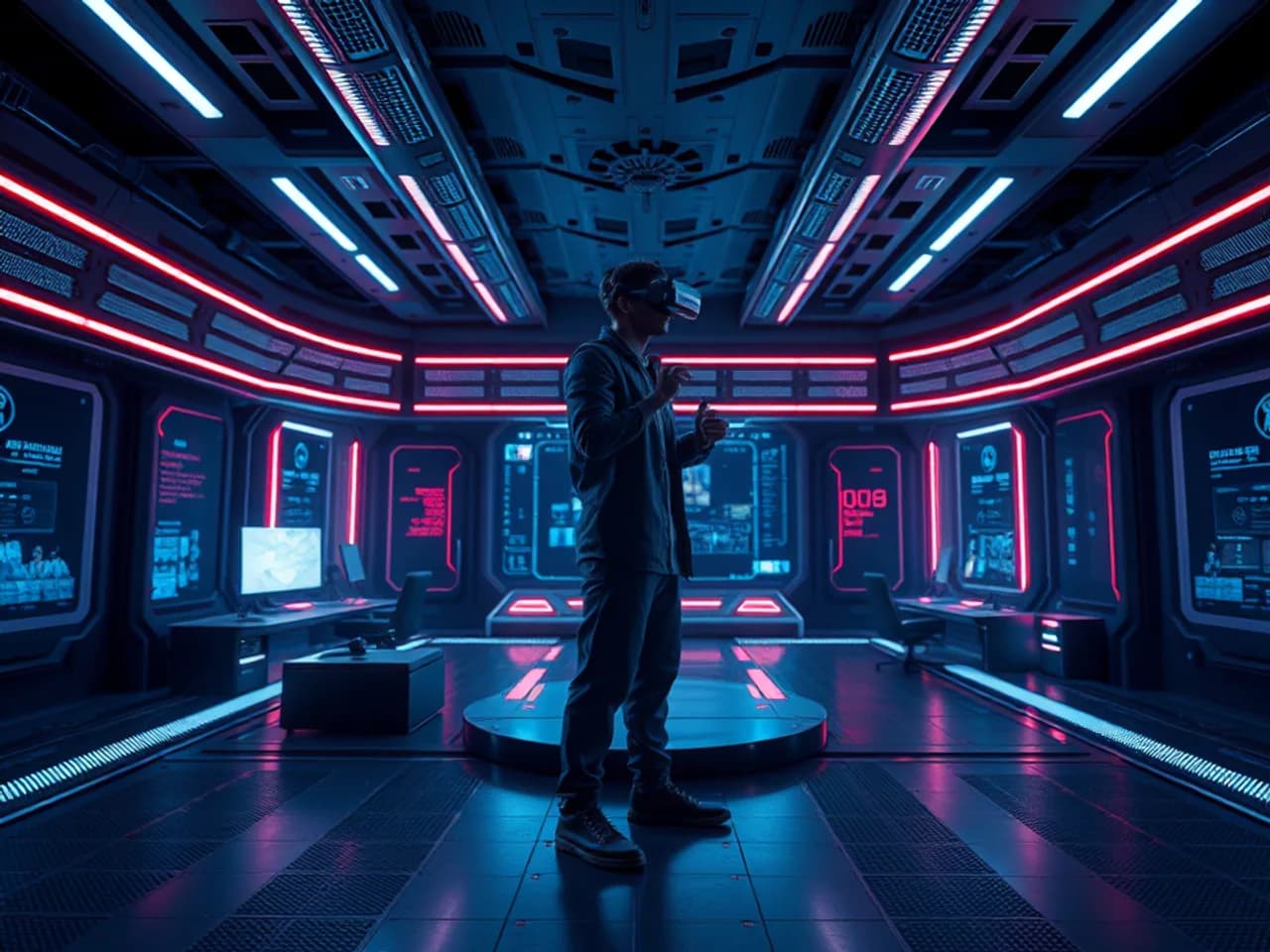
VR Training Simulation is the design and engineering of an immersive practice environment in which a learner performs defined tasks, receives feedback and can be assessed against an approved rubric. It is different from a general virtual reality application because the primary success criteria are learning transfer, defensible assessment, safe operation and manageable delivery—not immersion by itself.
Skillonit can help an organization turn a training need into learning objectives, scenarios, interaction models, 3D content, headset software, instructor tools, xAPI or LMS connections, assessment records, testing evidence and deployment runbooks. The engagement can cover a focused procedural rehearsal, a branching interpersonal scenario, equipment familiarization or a multi-user exercise. The right scope depends on learner context, consequence of error, available devices, evidence requirements and operational ownership.
A simulation is a model, not the real workplace. Visual detail does not establish training effectiveness, equipment qualification, regulatory acceptance or physical safety. Any high-consequence procedure, medical instruction, vehicle operation, industrial control, emergency response or regulated competency claim requires review by the buyer's qualified subject-matter experts, learning specialists, safety owners and applicable authorities. Skillonit does not invent efficacy, injury-reduction, completion, retention or return-on-investment statistics. This page remains in editorial_review, carries noindex,follow, has no unreviewed translations and is excluded from XML sitemaps.
Direct answer
VR Training Simulation services create a repeatable virtual environment where learners can observe, decide and act without using the live setting for every practice attempt. A complete delivery connects each action to an instructional purpose: what the learner should know or do, what conditions apply, what evidence counts, what feedback is appropriate and what must remain outside automated scoring.
The deliverable is more than a headset executable. It normally includes a task and audience analysis, learning-objective matrix, scenario scripts, fidelity decisions, interaction specification, assessment rubric, accessibility and comfort plan, privacy model, device/runtime architecture, content pipeline, integration contract, test evidence, operational documentation and maintenance backlog. Instructor, administrator or learner web surfaces may be included where needed.
VR is appropriate when spatial judgment, embodied sequence, situational scanning, coordinated action or repeatable exposure to a difficult environment materially supports the objective. It is often inappropriate when the required knowledge is mainly textual, the target task needs physical forces the headset cannot reproduce, users cannot safely access the equipment, or a desktop module and supervised practice would achieve the objective with less burden. Discovery can recommend a non-VR alternative.
No page, prototype or vendor statement can guarantee learning transfer. Evaluation must compare approved evidence against a defined baseline and account for instruction, practice frequency, instructor support, novelty and selection effects.
Definition and service boundaries
A training simulation represents selected behaviors of a real or imagined setting for practice. Fidelity means similarity along relevant dimensions, not a universal pursuit of photorealism. A low-detail control panel with correct decision logic may be more useful than a beautiful environment with incorrect states. Physical fidelity concerns appearance, geometry, reach and equipment behavior. Functional fidelity concerns what the system does in response to actions. Psychological fidelity concerns whether the scenario creates the decisions, attention and pressures required by the objective.
Instructional design specifies why a learner acts and how practice builds capability. Scenario design specifies the situation, roles, triggers, branches and consequences. Simulation engineering implements state, timing, interaction, feedback and device behavior. Assessment design specifies observable evidence and limitations. These disciplines overlap but are not interchangeable.
General VR app development may optimize exploration, visualization, commerce, entertainment or collaboration. VR training development must additionally support objectives, repeatability, attempts, scoring or qualitative review, learning records, instructor controls, content governance and defensible versioning. A product demonstration can show equipment features without qualifying as training. A 360-degree video can offer contextual observation without simulating object manipulation. The service label should match the visible capability.
The service can include software and content production, but it excludes unverified certification claims, substitution for legally required supervised practice, manufacture of physical protective equipment, unsupported medical or safety advice, and assurance that a third-party LMS, headset store or regulator will approve the result.
Buyer problems and suitability
Organizations consider immersive practice when access to the real environment is constrained, scheduling instructors is difficult, equipment downtime is costly, mistakes would be disruptive, or consistent scenario exposure matters. Distributed teams may need the same approved rehearsal across sites. Trainers may need better visibility into the decisions made during a scenario rather than only a final quiz answer.
The buyer problem should be expressed behaviorally. “We need VR” is not a training requirement. “New technicians must identify the approved isolation points in the correct order and explain when to stop” can become objectives, interactions and observations. “Managers must recognize three conversational signals and select an escalation route” can become a branching role-play. The same statement also makes it possible to compare VR with video, desktop learning and supervised practice.
Suitable characteristics include meaningful three-dimensional context, tasks involving location or reach, multiple valid decision paths, a need for repeatable abnormal conditions, and sufficient learner volume or consequence to justify lifecycle ownership. Less suitable characteristics include rapidly changing text-heavy policy, a task dominated by fine haptics, required odors or forces that consumer hardware cannot represent, extremely short-lived content, or an audience unable to use a headset safely.
Procurement should account for rooms, cleaning, charging, device enrollment, updates, accounts, accessibility alternatives, supervision and support—not only application development. A technically successful pilot can still fail operationally if headsets are unavailable, learners cannot sign in, the room is unsafe, records do not reach the LMS or local trainers lack escalation guidance.
Buyer questions before design
Discovery should answer questions that constrain the entire build:
- Which observable workplace behavior is expected to change, and who owns that definition?
- Is the simulation formative practice, summative assessment, familiarization, instructor-led rehearsal or a combination?
- What mistakes can be safely represented, and which require immediate stop or instructor intervention?
- Which details must match the real environment for the objective, and which can be abstracted?
- Are learners seated, standing, room-scale, mobile between sites, supervised or working alone?
- Which users may need captions, one-handed input, seated reach, reduced motion, larger targets, alternative controls or a non-headset route?
- What evidence may be recorded, for what purpose, retention period and audience?
- Does the organization need an LMS completion, detailed xAPI statements, a human observation record or no person-level telemetry?
- Which headset/runtime, identity, device-management and network constraints already exist?
- How will content, device firmware, runtime versions, assessment rules and source procedures be governed together?
Answers become assumptions and release gates. If the source procedure is unapproved or subject-matter experts disagree about the correct response, production should not hide that conflict in code. The issue belongs in the decision log until accountable owners resolve it.
Hypothetical industry use cases
The following examples are design patterns, not claims about Skillonit clients, completed projects, learning efficacy or safety outcomes.
Industrial equipment familiarization. A learner locates controls, follows a startup sequence and recognizes a simulated fault. The experience can teach orientation and decision order, but it cannot reproduce every force, sound, temperature or failure mode. Site-specific authorization and hands-on supervision remain separate.
Warehouse hazard recognition. A learner surveys a virtual loading area, flags line-of-fire risks and selects an escalation action. Randomized placements can reduce answer memorization. The rubric should distinguish failure to see a hazard from seeing it and choosing an incorrect response.
Healthcare communication rehearsal. A branching conversation presents a difficult disclosure or consent discussion. Language and emotional response need specialist review. Automated scoring should focus on approved observable choices and should not claim to measure empathy or clinical competence from voice or gaze proxies.
Retail service onboarding. A learner navigates a store scenario, finds resources and practices an escalation workflow. Brand and product content can be updated through a controlled authoring pipeline. VR may be combined with a short web module for policy detail.
Emergency coordination exercise. Multiple participants receive roles and incomplete information, make decisions and join a facilitated debrief. The simulation can practice communication and sequence; it must not present itself as an accurate prediction of a real event or replace mandated drills.
Technical field-service rehearsal. A technician inspects a virtual asset, chooses tools and records a diagnosis. Fidelity focuses on the decision cues that distinguish faults. Haptic-dependent torque or tactile confirmation may require physical equipment or blended practice.
Soft-skills leadership scenario. A manager practices responding to a conflict with choices that change subsequent dialogue. The experience supports reflection, not a diagnosis of personality or performance. Human facilitation may be more appropriate than a single numeric score.
Public-space accessibility awareness. A design team examines spatial barriers from multiple viewpoints. The module must be co-designed with people whose lived experience is relevant and must not imply that a short simulation reproduces disability.
Capabilities, deliverables and exclusions
A VR training engagement can be configured from discrete workstreams:
- Training-needs analysis: audience, baseline, environment, desired behavior, constraints and alternative modality comparison.
- Learning architecture: objectives, prerequisites, attempt structure, feedback, debrief, reinforcement and evidence plan.
- Scenario design: roles, environment, state transitions, event triggers, branches, failure paths and replay logic.
- Experience design: locomotion, reach, manipulation, menus, prompts, instructor controls, comfort and accessibility.
- Simulation engineering: scene state, equipment logic, timing, AI behaviors, persistence, assessment events and local or network services.
- Content production: optimized 3D models, materials, animation, audio, voice, captions, localized copy and reusable assets.
- Learning integration: LMS launch, xAPI statements, learner record store, single sign-on, roster or course context and completion rules.
- Operational delivery: headset packaging, device management, offline mode, updates, diagnostics, analytics and support runbooks.
- Evidence and governance: traceability, expert review, test cases, known limitations, change history and release approvals.
Project documentation can include the objective-to-interaction traceability matrix, scenario map, assessment rubric, data dictionary, asset register, accessibility plan, physical safety checklist, architecture diagrams, API contracts, test report, deployment guide and maintenance schedule.
Exclusions are explicit. Skillonit does not certify a worker, validate a clinical device, approve a safety-critical procedure, warrant regulatory acceptance or claim that simulated performance proves real-world competence. A buyer's qualified owners decide whether and how simulation evidence contributes to training records. Hardware procurement, biometric research, custom haptic rigs, motion platforms, proprietary CAD conversion and live instructor staffing require separate scope.
Learning architecture and objective traceability
Every major interaction should trace to an objective or an operational requirement. The objective matrix records an action verb, conditions, expected standard, scenario evidence and review owner. “Understand safety” is too vague. “Select the approved stop action after recognizing indicator X in a simulated normal operating context” is testable, although the buyer must verify that the modeled indicator and action are correct.
Objectives are grouped into knowledge, perceptual discrimination, procedural sequence, decision-making, communication and psychomotor practice. VR is particularly useful when an objective combines spatial context and action. It is weaker when success depends on real weight, resistance, vibration, temperature or subtle tactile feedback that the chosen equipment cannot reproduce.
The learning loop typically includes orientation, demonstration, guided practice, independent attempt, feedback and debrief. Guidance can fade between attempts. Immediate feedback works for a formative first attempt, while delayed feedback may preserve realism in a later assessment. A retry should reset all relevant state, not leave invisible flags from the prior attempt.
Traceability controls change. If a source procedure changes, the team can identify affected prompts, objects, branches, scores, translations, xAPI statements and tests. Without traceability, a small policy update can create contradictory instruction across the experience.
Scenario and instructional design
A scenario specification defines starting state, learner role, available information, task goal, permitted actions, time behavior, triggers, branches, consequences and ending conditions. It distinguishes instructional events from environmental decoration. A distracting alarm may be necessary to test prioritization, or it may merely increase cognitive load without serving an objective.
The design should avoid turning professional judgment into a guessing game. Learners need enough cues to choose among plausible actions. Incorrect options should reflect meaningful misconceptions, not arbitrary traps. Feedback explains the rule and evidence appropriate to the buyer's approved material. High-stakes messages should link to the governed source rather than restate an uncontrolled version.
Branching depth must be managed. A scenario tree grows quickly when every choice creates unique content. State-based design can reuse later scenes while preserving relevant decisions. Tags such as hazard_acknowledged, supervisor_contacted or tool_verified can drive dialogue and assessment without duplicating entire environments.
Debrief is part of the product. A timeline may show observations, decisions and consequences, but it should avoid exposing hidden assessment logic that encourages answer memorization. Instructor notes can prompt reflection: what cues were noticed, which assumptions were made, and how would the learner verify the decision in the real setting?
Fidelity and modeling decisions
Fidelity is selected against the objective, device budget and evidence need. Three dimensions are documented:
| Dimension | Decision question | Common risk |
|---|---|---|
| Visual and spatial | Which geometry, labels, lighting and distances must be recognizable? | Decorative detail consumes performance while critical cues remain wrong. |
| Functional | Which controls, states, dependencies and failures must behave correctly? | A visually accurate object teaches an incorrect response. |
| Behavioral and social | Which AI, voice, timing or team responses matter? | Scripted actors are interpreted as universally realistic human behavior. |
Source materials may include approved procedures, CAD, photographs, videos, equipment manuals, site scans and expert demonstrations. Each source receives an owner, date, permitted use and confidence status. CAD often contains excessive detail, confidential geometry or assembly data inappropriate for a headset. It is cleaned, simplified and reviewed rather than imported blindly.
The limitation register states what the simulation does not represent: tactile resistance, actual load, rare equipment states, environmental hazards, social variability or regional procedure differences. These limits are visible to trainers and learners where they affect interpretation. “High fidelity” is not used as a blanket claim.
Interaction, feedback and assessment
Interaction can use controllers, hands, gaze, voice, keyboard, tracked tools or a combination. The method should fit the action and supported hardware. Hand tracking may feel natural but lose reliability when hands overlap or leave the sensor view. Controllers provide buttons and haptics but require onboarding. Gaze can support targeting but should not become a proxy for attention or competence.
Objects expose clear states: available, highlighted, held, constrained, accepted, rejected, damaged or reset. Feedback can be visual, auditory, haptic or instructor-mediated. It should not rely on color, sound or vibration alone. Learners need a way to pause, repeat instructions, recenter and safely exit.
Assessment design distinguishes evidence from inference. Selecting the correct control is observable. Inferring knowledge solely from head direction is weak because a learner may see peripherally, move differently or use an assistive configuration. Completion time can matter for some objectives, but speed should not be scored unless the standard legitimately requires it and accessibility adjustments are considered.
A rubric can combine critical actions, sequence, decision rationale, hazard recognition and human observation. Critical errors may stop the attempt rather than simply deduct points. Partial credit and remediation need explicit rules. Scores are versioned with the content so a later procedure change does not make old and new attempts appear equivalent.
The system can produce formative feedback, completion status and detailed events; it cannot by itself establish real-world competency. The buyer defines how simulation results interact with instructor judgment, supervised practice and certification systems.
Integrations and data flows
A common enterprise flow begins when an LMS, learning portal or device launcher starts an assigned module. The experience receives a minimal learner or session identifier through an approved mechanism, loads course configuration, creates a local attempt and runs the simulation. Events are buffered locally, validated against a data contract and sent to an integration service or learner record store. The LMS receives only the completion or score fields it is configured to understand.
xAPI can represent events as actor–verb–object statements with context, result and extensions. A profile should define stable verbs, activities and extension semantics rather than invent them inconsistently across modules. The Learning Record Store stores xAPI statements; the LMS remains responsible for course assignment and learner administration unless the architecture says otherwise. cmi5 can define an LMS launch and session pattern where supported. Integration capability must be confirmed against the buyer's actual platforms.
Typical connections include:
- learning management systems for launch, enrollment, completion and score;
- learner record stores for detailed experience statements;
- identity providers using an approved single-sign-on flow;
- mobile-device or XR fleet management for enrollment, configuration and application delivery;
- content management or configuration services for approved scenario variants;
- analytics platforms for aggregate technical and product events;
- service desks for diagnostic bundles and incident correlation;
- instructor dashboards for session control and qualitative notes.
The data map distinguishes learning evidence from technical telemetry. A scenario action may be required for assessment, while a dropped-frame event helps support. Device serial number, room mapping, voice, video, hand pose and gaze-related signals can be sensitive and are not collected merely because an SDK exposes them. Raw sensor streams should stay on device unless a justified, reviewed use requires otherwise.
Offline deployment stores approved configuration, attempts and a bounded event queue locally. Synchronization uses idempotency keys and server acknowledgements to avoid duplicate completion. Conflicts, clock drift, roster changes and expired credentials require defined behavior. The learner must be told when a record is pending rather than shown a false success.
Headsets, runtimes and technology choices
The hardware decision follows environment and support constraints. Standalone headsets reduce cabling and workstation dependency, but mobile processors impose limits on geometry, shaders, thermal load and battery. PC-tethered VR can support richer scenes and peripherals, but adds workstation specifications, cables, driver management and room setup. Spatial-computing headsets may combine windows, passthrough and full immersion with platform-specific interaction conventions. Kiosk deployments prioritize fast reset and controlled accounts.
Unity can provide broad XR ecosystem support and a mature real-time content pipeline. Unreal Engine can suit visually demanding simulations and teams familiar with its tools. Native stacks such as RealityKit and platform SDKs can expose platform-specific behavior with less abstraction. OpenXR can reduce some runtime coupling, but it does not make interaction, store packaging, device management or performance identical across devices.
Selection criteria include supported fleet, hand/controller needs, offline operation, enterprise distribution, long-term runtime support, plugin maturity, content team expertise, rendering targets, accessibility behavior, licensing and ability to automate builds. A proof of capability on representative hardware is more useful than a feature checklist.
The architecture isolates training rules from presentation where practical. Scenario state machines, assessment events and content identifiers remain testable without the headset. Platform adapters handle input, boundary, haptics, authentication and distribution. Asset bundles or addressable content can reduce full-build frequency, provided signatures, compatibility and rollback are controlled.
Content authoring and asset pipeline
Frequent training updates need a governed authoring route. A scenario data model can externalize prompts, object mappings, branching conditions, feedback, localization keys and assessment weights. It must not become an unbounded no-code system that allows unsafe logic changes without testing.
An authoring workflow separates draft, expert review, learning review, localization, QA and release. Every scenario version records its source procedure and compatible application version. Preview tools let reviewers inspect dialogue, decision branches and objective mappings before a headset build. High-consequence rule changes still require integrated testing.
The 3D pipeline covers source intake, units and scale, topology reduction, UVs, material conversion, level of detail, colliders, interaction anchors, animation, audio, naming and validation. Automated checks can catch missing references, excessive texture sizes, incorrect scale or unlocalized strings. Human review checks recognizability and behavior.
Reusable environment kits and interaction components reduce cost across modules, but similarity should not erase task-specific context. A generic valve, patient room or retail counter is appropriate only when the objective does not depend on site-specific detail. Asset provenance and licensing are tracked; third-party models are not assumed to permit redistribution in an enterprise training package.
Motion comfort and physical safety
Comfort is a product requirement and a test dimension, not a settings-page afterthought. The design minimizes unnecessary camera motion, avoids moving the view independently of head motion, maintains stable references and offers locomotion alternatives where movement is required. Teleportation, snap turn, adjustable turn angle, seated mode, vignette options and short segments can help some users, but no technique guarantees comfort.
Physical safety planning covers the real room. The deployment guide defines clear space, floor conditions, overhead and lateral hazards, cable handling, supervision, cleaning, eyewear accommodation, device fit, emergency exit and local policy. Platform boundaries and passthrough are supporting controls, not guarantees against collision. The experience should never encourage a user to move beyond the configured area or ignore a system warning.
Reach targets account for body variation and seated use. Objects are not placed so low, high or far that success depends on a particular height or balance. A recenter flow restores a usable reference position. If a task truly depends on full-body motion, the requirements must state that constraint and provide an appropriate alternative or assignment rule.
Session duration, breaks and supervision depend on audience, hardware, content and organizational guidance. The application can offer pause points and comfort check-ins; it should not invent universal exposure limits. Users need a fast, clear exit that remains available when the scenario is stressful.
UX, accessibility and localization
Accessible VR begins with inclusive research, not a claim that one configuration fits everyone. The team identifies vision, hearing, mobility, dexterity, cognition, speech, balance and motion-related needs relevant to the audience. People with disabilities should participate in design and testing with appropriate consent and compensation.
Options can include seated and standing modes, dominant-hand switching, one-handed interactions, remappable controls, controller and hand alternatives, scalable text, high contrast, reduced motion, adjustable reach, captions with speaker and direction cues, replayable audio, visual equivalents for sound, audio description for key events and extended time. Some objectives require a non-VR equivalent because the hardware or task cannot be made suitable for every learner.
WCAG applies directly to companion web portals and provides useful principles, but a headset experience should not be declared WCAG-conformant solely from a web checklist. XR-specific user needs, platform accessibility APIs and representative assistive configurations must also be evaluated. The accessibility statement explains tested scope, known limits and support route.
Localization extends beyond translated strings. Voice timing, reading speed, captions, units, date formats, symbols, hand gestures, cultural context, equipment terminology and procedural variants may change. Text layouts allow expansion, and audio assets have matching transcript and subtitle identifiers. A language release is not enabled until its scenario content and assessment meaning receive review.
Error messages tell the learner what happened and how to recover without blaming them. Orientation demonstrates boundary, input, pause, recenter and exit. The design avoids requiring rapid aim, precise pinch or prolonged hold unless the objective genuinely requires that skill.
Security, privacy and learner protection
The threat model covers headset loss, shared-device identity mistakes, unauthorized course access, tampered content, forged completion, replayed xAPI statements, exposed tokens, insecure local storage, malicious asset packages, third-party SDKs and excessive administrator access. Enterprise distribution does not eliminate these risks.
Controls can include short-lived credentials, device enrollment, application signing, encrypted transport, protected local storage, least-privilege service accounts, role-based dashboard permissions, event validation, idempotency, audit trails, content signatures, dependency scanning and remote revocation. Secrets are not embedded in application packages. Offline credentials and cached learner records have expiry and deletion behavior.
Privacy starts with purpose limitation. The data inventory identifies identity, assessment, technical telemetry, voice, images, spatial maps, hand data, device identifiers and instructor notes. Each field has a purpose, lawful handling basis determined by the buyer, access group, retention rule and deletion path. Sensitive sensor data is not treated as ordinary click analytics.
Learners should receive clear notice about what is recorded and how it is used. Managers should not infer traits, emotion, attention or health from headset signals without a valid, reviewed basis and evidence. Gaze direction, movement speed and hesitation can be affected by accessibility, device fit, room setup and familiarity; they are not universal proxies for competence.
If the training is used in employment, education, healthcare or another sensitive context, privacy, labor, equality, records and monitoring obligations may vary by jurisdiction. Qualified owners approve the implementation. Skillonit does not provide legal advice or guarantee compliance.
Performance and Core Web Vitals
Headset performance is managed through explicit budgets on representative devices. The frame-time budget is divided among simulation logic, physics, animation, rendering, UI and platform services. The target refresh rate is set per supported runtime, and the team profiles CPU and GPU rather than treating average frames per second as sufficient. Spikes can be more disruptive than a stable average.
Budgets also cover scene load, application startup, memory, texture residency, draw calls, shader variants, overdraw, particles, audio voices, network traffic, thermal behavior and battery consumption. Levels of detail, occlusion, baked lighting, mesh simplification, compressed textures, pooled objects and asynchronous loading are selected based on evidence. Foveated rendering or streaming may help on supported platforms but adds its own constraints.
Performance tests include lower-bound supported hardware, realistic training sessions, repeated resets, long-running kiosk use, offline queues and network degradation. A visually impressive scene is not accepted if interaction latency, thermal throttling or memory pressure undermines training.
Companion web pages and instructor portals have separate Core Web Vitals targets. The current stable measures are Largest Contentful Paint, Interaction to Next Paint and Cumulative Layout Shift. Recommendations include server-rendered essential content, reserved media dimensions, compressed responsive imagery, limited client JavaScript, efficient fonts, caching and measurement with both lab and field data where available. No Core Web Vitals score is promised before a real deployment is measured.
Technical SEO
The national/global authority route uses one canonical URL: /services/vr-training-simulation/. Its title, meta description, H1, breadcrumb, Open Graph values and Service schema must all describe the visible VR training service. Organization, WebSite, BreadcrumbList and Service are candidates. FAQPage is only emitted when the visible questions and answers remain present and the implementation follows current search policy.
This editorial draft remains noindex,follow and sitemapEligible: false; therefore it does not belong in an XML sitemap. Publication requires a successful crawlable response, rendered canonical, unique metadata and H1, descriptive internal anchors, mobile-readable layout, useful image alternatives, security headers, accessible interaction, accurate lastmod and human review. Structured data cannot add clients, ratings, outcomes, certifications, offices or efficacy claims that are absent from visible content.
There are no reviewed translated equivalents, so no hreflang is configured. Reciprocal language annotations and x-default are introduced only after real translations receive editorial and market review. Automated place-name substitution is not localization.
Recommended visual guidance includes a learning-objective-to-scenario diagram with text alternative, a captioned view of controller and hand options, and a deployment workflow that labels headset, local cache, integration service, LRS and LMS. Alt text should convey instructional meaning rather than repeat the keyword.
Discovery-to-launch delivery process
1. Outcome and modality discovery
Stakeholders define audience, current performance, target behavior, environment, constraints and evidence. The team compares VR with video, web learning, desktop simulation, augmented reality and supervised practice. A recommendation can stop the VR build if another medium better serves the objective.
2. Task and risk analysis
Subject-matter experts decompose the task into cues, decisions, actions, standards and stop conditions. Learning designers classify objectives and prerequisite knowledge. Safety, privacy, accessibility, operational and technical risks enter a traceable register.
3. Scenario prototype
A low-cost prototype tests scale, interaction, locomotion, core state and one representative decision path. Reviewers use target devices, not only desktop video. The gate asks whether the interaction elicits the intended behavior and whether the device can support it comfortably.
4. Instructional and assessment specification
Approved objectives map to scenario steps, guidance, feedback, evidence and rubric rules. The team defines attempt lifecycle, retry, pause, debrief, completion and human-review boundaries. xAPI or LMS data contracts are drafted using non-production identifiers.
5. Production engineering and content
Engineers implement systems, adapters and integrations while artists build optimized assets through the governed pipeline. Scenario data, localization keys and assessment rules receive version control. Automated builds run code, content and package checks.
6. Expert validation and learner testing
Subject-matter experts validate modeled behavior against approved sources. Learning specialists inspect objective alignment and feedback. Representative learners test comprehension, interaction, comfort and accessibility. Findings are documented, prioritized and retested.
7. Deployment rehearsal
The team tests enrollment, application distribution, accounts, offline behavior, synchronization, room setup, cleaning, reset, diagnostic export, instructor workflow and support escalation. Production configuration is rehearsed with synthetic or approved test users.
8. Controlled release and measurement
Release begins with a bounded cohort where operational support is available. Monitoring separates technical health from learning evidence. The buyer interprets outcomes against the evaluation plan; a completion rate alone does not prove transfer.
9. Handover and governance
Handover covers source, assets, builds, configuration, credentials ownership, documentation, known limitations, content update process, incident runbook, device matrix and maintenance backlog. Accountable owners approve changes to procedures and assessment.
Testing and validation
Testing spans more than functional correctness. Unit tests cover state transitions, calculations and serialization. Integration tests cover identity, launch, LRS or LMS statements, offline synchronization and failure responses. Scenario tests trace every branch, reset, critical error, hint and completion rule to the specification.
Device QA covers every supported headset/runtime combination, controllers, hand tracking, room modes, recentering, low battery, interrupted tracking, sleep/resume, guardian events, network changes, thermal conditions and package upgrades. Performance captures frame-time percentiles, spikes, memory headroom, load transitions and long-session stability.
Instructional validation asks whether the scenario presents the right cue, permits the right action and gives approved feedback. Subject-matter experts sign off specific modeled behavior; they do not merely state that the environment “looks realistic.” Learner testing checks whether intended users understand prompts, controls and debriefs without facilitator rescue.
Accessibility testing includes keyboard and assistive technology on web surfaces, headset platform features, captions, color-independent cues, adjustable reach, alternate input and seated paths. Physical safety testing takes place in the intended room configuration with a documented stop procedure.
Assessment quality needs separate evidence. Content validity, scoring consistency and real-world interpretation are responsibilities of qualified learning and measurement owners. Software tests can prove that the configured rubric calculates as specified; they cannot prove that the rubric measures competency.
Deployment, observability and incident response
Distribution may use an approved enterprise store, managed application channel, private listing, signed package or local kiosk process depending on platform terms. Device management can configure Wi-Fi, accounts, kiosk mode, update windows and remote actions. Store acceptance and enterprise permissions are not guaranteed.
Observability covers crash-free sessions, startup, frame and memory signals, synchronization backlog, authentication failures, content version, device/runtime distribution and integration responses. Learning events are monitored separately and only at the granularity approved by the data model. Dashboards show version and cohort context so an assessment-rule change is not hidden in an aggregate trend.
Runbooks define loss of tracking, expired credentials, unavailable LMS/LRS, corrupted local attempt, failed content download, bad release, lost headset and suspected record tampering. Recovery prioritizes learner safety and record integrity. The application provides a safe exit and does not trap users inside a broken scenario.
Release rings can progress through internal, trainer, pilot-site and broader cohorts. Packages and content have rollback paths compatible with stored attempts. If a procedure or assessment is found incorrect, owners can pause assignment, identify affected versions and communicate the limitation.
Migration and modernization
A VR training product may begin as a prototype, a single-device Unity build, a 360-video experience or a legacy PC simulation. Migration begins with inventory: source code, engine and plugins, 3D assets, procedures, objectives, rubric, learner records, integrations, supported devices and rights.
A re-platform is not a direct conversion. Controller-based interactions may need redesign for hands; a PC scene may exceed standalone memory; a legacy LMS launch may not fit the target device; an older plugin may block current runtime support. The team builds a vertical slice on the target stack before committing every module.
Historical records retain their original content and rubric version. The migration map determines which fields can be carried forward and which cannot be compared. User acceptance verifies not only visual parity but learning behavior, comfort, accessibility and operations.
Content modernization can separate scenario data from code, introduce localization keys, optimize assets, define xAPI profiles and add automated checks. It should not rewrite approved instruction without expert review. Legacy shutdown includes export, retention, deletion, account revocation and support communication.
Timeline factors
There is no responsible universal delivery date. A bounded prototype may take weeks, while a multi-scenario, multilingual, integrated and validated program can take months or longer. Scope is estimated after objectives, sources, devices, integrations and approval paths are understood.
The critical timeline drivers are number and depth of scenarios, environmental uniqueness, 3D asset readiness, behavior complexity, input methods, headset count, multiplayer or instructor features, LMS/LRS constraints, offline operation, localization, accessibility routes, expert availability, regulated review and procurement lead time.
The plan should include decision time. Waiting for an approved procedure, equipment access or reviewer sign-off cannot be removed by adding developers. A prototype, production slice and controlled release provide better forecast evidence than estimating the full program from a concept deck.
Parallel work is useful only where interfaces are stable. Art can progress while backend contracts mature, but a scenario cannot be finalized while the correct procedure remains disputed. Schedule reserves time for target-device testing, accessibility findings, content correction and deployment rehearsal.
Cost factors
Cost is shaped by instructional and operational complexity as much as visual content. Major drivers include discovery, subject-matter expert time, scenario writing, original 3D creation, CAD cleanup, interaction systems, AI characters, voice recording, localization, supported headsets, LMS/LRS integration, instructor tools, fleet management, performance optimization, accessibility, testing and maintenance.
Reusable foundations can reduce later module cost: a design system, interaction library, identity adapter, xAPI profile, authoring model, environment kit, automated pipeline and device test harness. Reuse should not force incorrect generic procedures into distinct sites or roles.
Budget options should expose trade-offs. A guided single-user scenario with stylized assets and standard LMS completion has a different risk and cost profile from a multi-user simulation with custom equipment, offline synchronization, instructor control and detailed assessment. Lower visual fidelity can be appropriate; removing expert validation or device QA is not a safe economy.
The business case includes hardware, replacement, charging, storage, rooms, hygiene, device management, help desk, content updates, platform fees and learner time. Skillonit does not promise savings or ROI. The buyer validates assumptions against actual deployment data.
Comparisons and decision criteria
| Approach | Strong fit | Main limit | Evidence to seek |
|---|---|---|---|
| VR training simulation | Spatial decisions, embodied sequence, repeatable scenarios | Hardware, comfort, operations and incomplete physical cues | Objective traceability and target-device learner tests |
| General VR application | Visualization, collaboration, exploration or demonstration | May lack assessment and learning governance | Product outcomes rather than training claims |
| 360-degree learning video | Observation, context and guided attention | Limited agency and object interaction | Comprehension and viewing comfort |
| Desktop simulation | Systems, process and data-driven decisions | Less embodied spatial practice | Task performance with ordinary input |
| Augmented reality guidance | Information beside real equipment | Depends on safe real-world access and tracking | Field usability and occlusion accuracy |
| Supervised physical practice | Real forces, tools and environment | Scheduling, equipment and exposure constraints | Qualified observation in actual conditions |
The best program may blend approaches. VR can provide orientation and decision rehearsal, a web module can present policy, and supervised physical practice can verify tactile execution. Procurement should compare the entire learning pathway rather than position VR as a replacement for every modality.
Risks and treatment boundaries
Wrong modeled behavior. Attractive simulation can teach the wrong action. Mitigation: approved sources, traceability, expert validation and stop-release authority.
Overclaiming effectiveness. Completion or satisfaction is presented as competence. Mitigation: predeclared evaluation, appropriate comparison, qualified interpretation and limited claims.
Physical injury or discomfort. A learner collides, loses balance or experiences adverse symptoms. Mitigation: room controls, orientation, boundaries, alternatives, pauses, supervision and rapid exit. No control eliminates all risk.
Accessibility exclusion. A headset or interaction blocks part of the audience. Mitigation: inclusive research, adjustable controls, seated paths, accessible companion content and equivalent alternatives.
Privacy overreach. Sensor or performance data is collected because it is available. Mitigation: data minimization, notice, permissions, retention controls and governance.
Invalid scoring. Automated metrics infer abilities they do not measure. Mitigation: observable evidence, rubric review, versioning and human judgment boundaries.
Operational abandonment. A pilot cannot be maintained across devices and sites. Mitigation: fleet and support design during discovery, controlled rollout and named owners.
Vendor or runtime change. Headset, plugin or platform behavior changes. Mitigation: abstraction where useful, support matrix, regression tests, dependency review and migration plan.
Content drift. Real procedures change while the simulation remains assigned. Mitigation: source ownership, review dates, expiry alerts and pause capability.
Maintenance and support
Maintenance covers application code, engine/runtime, plugins, OS and headset firmware compatibility, backend services, integrations, content, translations, procedures, assessment rules, device profiles and documentation. A change in any one can require coordinated regression testing.
The service cadence can include dependency and vulnerability review, crash analysis, performance baselines, supported-device certification, content-source review, integration contract checks, accessibility regression, data-retention jobs and disaster recovery exercises. New headset support enters through a measured capability slice rather than an assumption of compatibility.
Content governance assigns owners for each scenario and source procedure. A review date or upstream change can mark the module for reapproval or pause. Assessment changes create a new version, not a silent overwrite. Learner records preserve the version used during each attempt.
Support tiers distinguish device setup, account or assignment, application failure, content question, safety issue and disputed assessment. Trainers receive a known-issues list and escalation route. Diagnostic bundles minimize personal data while providing version, device and error context.
Frequently asked questions
What is a VR training simulation?
It is an immersive software experience built around approved learning objectives, repeatable scenarios, learner actions, feedback and evidence. It differs from a general VR app because instructional alignment and training operations are primary requirements.
When is VR a good training medium?
VR is worth evaluating for spatial judgment, embodied sequences, contextual decisions and controlled exposure to scenarios that are difficult to repeat physically. A modality comparison should still test whether desktop, video, AR or supervised practice is more suitable.
Does VR training replace hands-on practice?
Not automatically. Consumer headsets cannot reproduce every force, texture, temperature, tool behavior or hazard. Qualified owners decide how simulation fits with instruction, supervised practice and formal assessment.
Can you guarantee improved retention or fewer incidents?
No. Outcomes depend on design, audience, instruction, deployment and evaluation. Skillonit does not invent or guarantee efficacy, retention, safety or ROI statistics.
How is VR training different from a 360 video?
A 360 video primarily presents recorded surroundings and guided observation. A simulation can maintain state, respond to object interaction, branch on decisions and produce structured evidence. Video may still be the better fit for observation-only objectives.
Can the simulation connect to our LMS?
Often, subject to the actual LMS launch, authentication and result interfaces. Discovery confirms whether the system needs simple completion, cmi5, xAPI through an LRS, a custom API or an intermediary service.
What is xAPI used for?
xAPI represents learning-experience statements and sends them to a Learner Record Store. A project-specific profile should define verbs, activities, context and extensions consistently. xAPI detail is not a reason to collect unnecessary learner data.
Can it work offline?
Yes, if offline content, identity, storage, attempt state and later synchronization are designed explicitly. The application must handle duplicates, expired credentials, storage limits and clear pending-record status.
Which headsets do you support?
The supported list is selected for the project and validated on physical devices. Standalone, PC VR and spatial-computing options have different performance, input, distribution and support trade-offs. This page does not claim universal device support.
Should we use Unity, Unreal or native development?
The choice depends on target devices, team expertise, visual and simulation needs, integration ecosystem, licensing and lifecycle. A vertical slice on representative hardware is recommended before final commitment.
Can the system use hand tracking?
It can where the device and task support it. Occlusion, tracking volume, accessibility and the need for physical controls affect suitability. Controller or alternative input may remain necessary.
How do you reduce motion discomfort?
The design avoids unnecessary virtual camera movement, maintains stable references, offers turning and locomotion choices, supports pauses and tests representative users. No design can guarantee comfort for everyone.
How is physical safety handled?
Deployment defines clear space, hazards, boundaries, supervision, exit, recenter and incident procedures. Platform boundary systems assist but do not guarantee collision avoidance. The buyer's safety owners approve the real environment.
Can VR training be accessible?
Many barriers can be reduced through seated modes, adjustable reach, alternative input, captions, visual audio cues, text scaling and non-VR alternatives. Accessibility must be tested with the intended audience; not every headset task can suit every learner.
Can we automatically score every action?
Technical actions can be recorded, but not every measure is valid evidence of competence. Gaze, speed or movement may be affected by disability, device fit and familiarity. Assessment specialists should approve inferences and human-review boundaries.
Can the simulation certify employees?
The software can supply versioned evidence and completion records. Whether that evidence contributes to certification is a decision for the buyer's qualified learning, safety, regulatory and professional owners.
How long does development take?
A focused prototype can take weeks; a multi-scenario, multilingual, integrated and validated program can take months or longer. Reliable planning follows objectives, devices, source content, integrations and review availability.
What determines cost?
Scenario count, 3D content, behavior complexity, supported hardware, integrations, assessment, authoring, accessibility, localization, expert review, device QA and maintenance are the main drivers. Hardware and operations belong in the business case.
Can an existing simulation be migrated to new headsets?
Often, but interaction, performance, plugins, packaging and content usually require redesign or optimization. A target-device vertical slice should test feasibility before full migration.
Do you create medical, aviation or safety-critical training?
Such domains require project-specific qualified experts, validation, governance and possibly regulatory review. Skillonit can provide scoped engineering but does not independently approve procedures, certify devices or guarantee acceptance.
Can instructors observe or control sessions?
An instructor console can view approved session state, trigger events, pause scenarios and record qualitative notes. Networking, identity, privacy and failure behavior must be designed for the actual venue.
What happens after launch?
Support tracks runtime and device compatibility, crashes, performance, integrations, content sources, assessment versions, accessibility and operational incidents. Release rings and rollback reduce update risk.
Start a VR Training Simulation discussion
Bring the target behavior, learner groups, source procedures, current training route, equipment constraints, intended headsets, integration landscape and known safety or accessibility requirements. Skillonit can help turn that evidence into a modality recommendation, prototype plan, architecture, assessment boundary and phased delivery scope.
The first useful outcome may be a VR brief, a blended-learning recommendation or a decision not to use VR. Any proposal will identify assumptions, exclusions, validation owners and operational dependencies. It will not promise learning transfer, safety outcomes, certification, platform approval, cost savings, rankings or lead volume.
Related services
- Virtual Reality App Development for immersive products whose primary objective is not structured training.
- Educational Game Development for learning experiences that use game mechanics and broader device access.
- Serious Game Development for purpose-led simulations and interactive practice with game systems.
- Simulation Game Development for modeled systems across entertainment and serious contexts.
- Augmented Reality App Development for guidance or visualization connected to the real environment.
- Mobile Game Development for phone and tablet interactive experiences.
- Game Backend Development for accounts, sessions, state, analytics and operational services.
- Cloud Application Development for learning portals, integrations and scalable service components.
Editorial review must confirm that each destination exists, resolves to its canonical and remains a truthful adjacent service.
Location quality and indexation gate
Country and city routes remain separate from this national/global authority page. Approved geo records can supply deterministic paths and localized inputs, but they do not authorize indexation. Every unreviewed location route defaults to contentStatus: editorial_review, robots: noindex,follow and sitemapEligible: false.
A location page may become self-canonical and indexable only after it proves original local value: verified service availability and delivery model; locally accurate training sectors, language, currency, timezone and terminology; lawful handling of employee or learner records; applicable safety, accessibility and procurement context; unique FAQs and conversion path; truthful office or remote-service wording; internal links; similarity approval; and human editorial approval. It must never invent a local studio, office, device fleet, client, regulator acceptance, efficacy result or safety outcome.
Fully translated, editorially reviewed equivalents can receive reciprocal hreflang and a valid x-default. A city page produced by swapping a place name into generic training copy remains excluded from XML sitemaps.
Editorial source notes
The following primary or authoritative sources were reviewed on 10 August 2026 for technical and editorial direction. They do not approve a product, validate training effectiveness or replace buyer-specific legal, safety, accessibility and learning review.
- Advanced Distributed Learning Initiative, xAPI and Total Learning Architecture service definitions: https://www.adlnet.gov/guides/tla/service-definitions/
- 1EdTech Consortium, Learning Tools Interoperability overview and specifications: https://www.1edtech.org/standards/lti
- Khronos Group, OpenXR specification and registry: https://registry.khronos.org/OpenXR/
- Apple Developer, creating fully immersive experiences in visionOS, including system-boundary behavior: https://developer.apple.com/documentation/visionos/creating-fully-immersive-experiences/
- Apple Developer, visionOS Human Interface Guidelines: https://developer.apple.com/design/human-interface-guidelines/designing-for-visionos
- Android Developers, XR guidance and developer documentation: https://developer.android.com/develop/xr
- W3C Web Accessibility Initiative, Web Content Accessibility Guidelines 2.2: https://www.w3.org/TR/WCAG22/
- W3C, XR Accessibility User Requirements: https://www.w3.org/TR/xaur/
- U.S. National Institute for Occupational Safety and Health, hierarchy of controls: https://www.cdc.gov/niosh/hierarchy-of-controls/about/
- U.S. National Institute of Standards and Technology, Privacy Framework: https://www.nist.gov/privacy-framework
- OWASP, Application Security Verification Standard: https://owasp.org/www-project-application-security-verification-standard/
- web.dev, Core Web Vitals: https://web.dev/articles/vitals
- Google Search Central, structured-data policies: https://developers.google.com/search/docs/appearance/structured-data/sd-policies
Sources and platform guidance change. Before publication and each material release, editors must verify current versions, supported devices, runtime terms, source procedures, standards, integration contracts and target-market requirements. Mentioning a source does not establish compliance, certification, partnership or endorsement.
Editorial and publishing status
This page remains in editorial_review, is served with noindex,follow, is excluded from XML sitemaps and has no unreviewed hreflang. Publication requires assigned human editorial, instructional, subject-matter, safety, accessibility, privacy, security and platform review appropriate to the target training; verified internal and external links; unique metadata; visible-content-aligned schema; rendered canonical and status checks; mobile and companion-web accessibility; Core Web Vitals review; and an accurate review date and sitemap lastmod.
Neither visible copy nor structured data may add training efficacy, incident reduction, competence, certification, clients, ratings, awards, offices, device support or compliance claims that have not been independently evidenced and approved. Location routes remain gated separately.