
Service overview
About Webinar Platform Development
Understand the business value, delivery considerations and technical decisions involved in planning this service.
Webinar Platform Development creates the registration, production, participation, interaction, recording and evidence workflows for scheduled online presentations. The engineering challenge is not simply transmitting video. A dependable platform must keep presenter authority separate from producer control, preserve consent and attendance provenance, moderate audience input, support accessible participation, integrate downstream systems carefully and give operators practical recovery paths when live conditions differ from rehearsal.
SkillonIT approaches webinar products as governed operational systems. We can help define the session model, design participant and backstage experiences, integrate suitable real-time media providers, create moderation and analytics services, migrate webinar history and prepare runbooks. Technology can support a program, but it cannot guarantee attendance, engagement, conversion, flawless delivery or legal compliance. Those outcomes depend on audience choice, connectivity, content, staffing, third parties and jurisdiction-specific duties.
Direct answer
What is Webinar Platform Development? Webinar Platform Development is the design and engineering of software for scheduled online presentations, including registration, consent, speaker preparation, controlled live media, moderated questions and polls, recording, accessible replay, attendance evidence, analytics and business-system integration.
What should a buyer receive? A credible engagement should produce an agreed domain model, participant and production journeys, permission matrix, media and data architecture, accessible interface, integration contracts, tested failure procedures, release pipeline, observability, documentation and an operating model. Scope should state which facts come from the platform, which come from media or marketing providers, and which require human verification.
What does the platform not prove? A join event does not prove attentive viewing; a delivered email does not prove informed consent; an automated caption is not necessarily accurate; a successful rehearsal does not guarantee live conditions; and a CRM status does not prove sales qualification. These boundaries should appear in interfaces, exports, analytics definitions and team training.
Webinar scope and adjacent product boundaries
A webinar is usually a scheduled, presenter-led session with a controlled stage and a comparatively large audience. Participants may watch and listen, submit questions, respond to polls, download approved resources and, where intentionally allowed, appear on stage. The product revolves around a session lifecycle: draft, registration open, rehearsal, ready, live, ended, processing, replay available and archived. Series, recurring sessions and simulive presentations can extend that lifecycle without turning the product into an unrestricted venue.
A virtual-event platform is broader. It may include agendas with concurrent tracks, exhibitor booths, sponsor areas, attendee networking, matchmaking, ticket packages and event-wide navigation. Those capabilities should not be implied by a webinar build unless explicitly scoped. A video-streaming platform focuses more deeply on ingest, transcoding, packaging, CDN delivery and playback across a catalogue or channel. Webinar software uses media delivery but adds registration, staged roles and structured audience interaction around particular sessions. A video meeting gives many participants symmetric microphone and camera privileges; webinar permissions are normally more asymmetric.
Podcast and music platforms manage audio catalogues, feeds, playlists, rights and listening patterns rather than a scheduled, moderated presentation. A learning system may consume webinar recordings or attendance evidence but also owns curricula, assignments and learner records. Marketing automation can promote a webinar and nurture registrants, yet it should not become the authoritative live-session state. Making these distinctions early prevents accidental promises, unnecessary complexity and confusing navigation.
Webinar platform use cases
Product education and customer enablement. Teams can run feature briefings, onboarding sessions and technical demonstrations. Registration questions should be proportionate, presenter claims need editorial governance, and a follow-up workflow should distinguish someone who registered from someone whose client emitted qualified attendance events.
Professional education. Associations and training organisations may need learning objectives, speaker disclosures, timed attendance rules, polls and certificate requests. The webinar platform can preserve evidence and pass it to an authorised learning or accreditation workflow. It should not unilaterally assert credit, identity, comprehension or certificate eligibility.
Investor, policy and public briefings. Controlled Q&A, accessible captions, archived recordings and approved documents can support transparent communication. Legal, disclosure, record-retention and accessibility review can materially change the implementation. The platform must not present itself as verifying an investment statement or official policy.
Lead-generation programs. Registration, campaign attribution and CRM handoff can support a marketing operation. Consent, purpose, regional messaging rules, enrichment sources and scoring authority must be explicit. Attendance or a poll answer is a signal, not permission for every downstream use and not a conversion guarantee.
Internal town halls. Identity federation, invitation rules, moderated questions, replay entitlements and restricted analytics may matter more than public registration. Organisational policy determines whether questions can be anonymous and who can access exports.
Partner and community sessions. A branded series can combine curated presenters, resource sharing and recurring audiences. Tenant separation, delegation, brand ownership and moderation escalation should be designed rather than inferred.
Roles, permissions and operational authority
Webinar permissions require more precision than a simple host/guest split. A platform administrator manages tenants, global policy and technical configuration. An organisation administrator manages branding, identity integration, templates and authorised producers for one organisation. An event owner controls business purpose, session details and publication. A producer operates the live room, stage, layouts, media sources, recording and recovery. A presenter shares approved audio, video and content. A moderator reviews chat and questions. A registrant supplies requested information. An attendee joins under an entitlement. Analysts and support agents need narrower evidence access.
Delegation must be explicit. A presenter should not automatically export the audience list. A marketing user should not gain backstage controls merely because they created a campaign. A contract producer may need live control for a limited window without retaining recordings afterward. Support impersonation, if allowed at all, should require a reason, elevated approval, visible indication and an audit event. Bulk exports, consent changes, recording publication, role grants and destructive actions deserve stronger controls.
The platform should define authority for every consequential state change. Who can open registration, publish a changed privacy notice, start a broadcast, move a participant on stage, delete a question, stop a recording or release a replay? Which actions need two people? Which can be reversed? A role-permission matrix becomes both an implementation contract and a test inventory. It should cover tenant boundaries, session boundaries, time-limited access, service accounts and emergency access, not just user-interface visibility.
Session, series and registration domain model
The core model usually includes organisation, program, series, session, occurrence, registration form, registration, consent record, invitation, entitlement, participant, speaker, asset, agenda item, interaction, media artifact, attendance event and integration delivery. Stable identifiers let title, schedule or speaker changes occur without rewriting history. Versioned session configuration should preserve what was shown to a person when they registered.
Registration may be public, invitation-only, domain-restricted, approval-based, paid through a separately governed commerce flow or sourced from an external membership system. The form builder should use approved field types, clear required-state labels, validation, accessible errors and retention metadata. Conditional fields must not hide material consent or produce a keyboard trap. Rate limits, bot signals and duplicate policies help protect capacity, but automatic rejection should be explainable and recoverable.
Capacity can be expressed as a business limit, a media-provider limit and an operational comfort limit. Waitlists should define ordering, expiry and promotion rules. A reservation is not the same as attendance. Calendar files and reminders should carry current times, time zones and update semantics. Cancellation should revoke join credentials where appropriate and feed downstream systems under a documented contract.
For recurring programs, teams need a decision between one registration covering a series and separate consent for each occurrence. A registrant profile may reduce repeated entry, but silent profile reuse can create stale or excessive data. The domain model should preserve source, effective time and version for registration fields rather than overwriting history with the newest value.
Consent, notices and communication preferences
Consent is not a decorative checkbox. The workflow should connect purpose, notice version, action, timestamp, user or device evidence, locale and withdrawal handling. Separate operational messages required to deliver a registered session from optional promotional messages. Preselection, bundled purposes and retention need qualified privacy and legal review for the relevant audience and market. The platform records an interaction; it does not decide whether a legal basis is valid.
Recording notices need special attention. Presenters, promoted attendees and ordinary viewers may have different exposure. The interface should state whether audio, video, chat, questions, names or poll responses may appear in a recording. A producer needs a clear recording-state indicator, and the session configuration should define whether private moderator notes and backstage media are excluded. Post-event editing cannot substitute for an appropriate notice and operating procedure.
Email and messaging preferences should have provenance. An upstream CRM may declare an existing preference, while the webinar form captures a new choice for a narrower purpose. A deterministic precedence policy and integration contract are safer than last-write-wins. Withdrawal must propagate to applicable systems without erasing operational facts that must be retained for a legitimate reason. Failed propagation belongs in a retry and exception queue.
Privacy text, cookies, tracking, telephone messages, children or student audiences, sensitive registration questions and cross-border data transfer require jurisdiction-specific review. SkillonIT can implement reviewed decisions and evidence, but does not certify that a consent design is legally sufficient.
Presenter onboarding and rehearsal
Speaker preparation should begin before the live room. A presenter portal can collect biography, headshot, presentation assets, pronunciation, accessibility requirements, disclosures, technical contact and agreement status. Each item needs ownership and visibility rules. Upload scanning, file-type controls and version history reduce operational surprises. An approved asset should remain distinguishable from a newer unreviewed replacement.
Device checks should test browser support, microphone, camera, speaker, permissions and approximate connectivity. They provide diagnostic evidence, not a guarantee about the live network. A guided test can explain how to choose a microphone, close bandwidth-heavy applications and permit browser access without pretending to repair the local environment. Results should be shared only with authorised production staff and retained for an appropriate period.
The rehearsal space should mirror important production behaviour: stage roles, media handoff, presentation order, screen sharing, video playback, polls, Q&A, captions, transitions and backup communication. A versioned run of show can record cue, owner, expected duration, asset and fallback. The producer needs a private channel that will not leak into the broadcast or public transcript.
Rehearsal sign-off should list unresolved risks: missing captioner, untested backup presenter, unsupported embedded video, stale slides, fragile Wi-Fi or uncertain rights. A completed checklist should never be represented as proof that the live session will succeed. The goal is to reveal dependencies and establish a shared response model.
Live media and production controls
Webinar media can use a managed real-time service, WebRTC topology, broadcast ingest, HTTP streaming or a hybrid. Presenters may connect through low-latency real-time media while most viewers receive a scalable delayed stream. The choice depends on interaction latency, audience scale, browser/device requirements, recording, captions, regional delivery, cost and operational skill. No single protocol proves suitability.
The backstage console should show source identity, microphone state, camera state, screen share, network signals, active scene, queued scene, broadcast state, recording state, captions, viewer count definition and current incidents. Destructive or highly visible controls need confirmation and keyboard accessibility. A preview should make clear whether it is local, provider-side or the actual audience output because those views can differ.
Production features may include layouts, lower thirds, holding screens, countdowns, prerecorded clips, presentation canvases, remote guests and simulive playback. Each additional source introduces synchronization, rights, device and fallback questions. Server-side composition simplifies viewer playback but concentrates provider dependency. Client-side composition offers flexibility but can increase device variability.
Latency must be defined end to end. Presenter-to-producer, producer-to-viewer and viewer-interaction-to-moderator latency are different. A low-latency claim from a vendor may exclude player buffers, geographic conditions or an interaction service. Measure named checkpoints and display uncertainty. The platform should never promise real-time delivery or uninterrupted media.
Producer console, green room and run of show
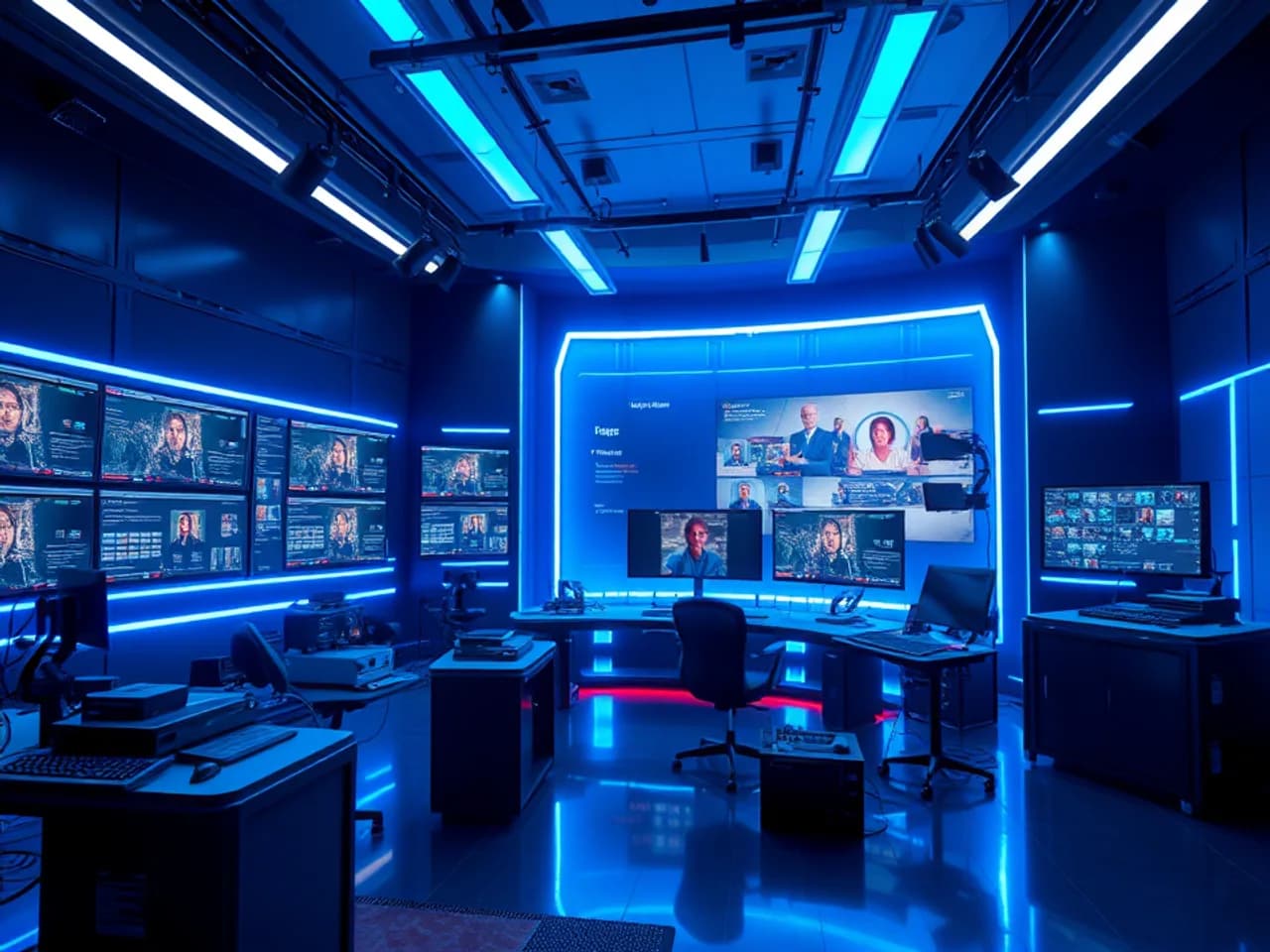
The producer console is an operational instrument, not merely another dashboard. Information hierarchy should prioritise whether the audience is receiving the intended output, which source is live, who is waiting, whether recording and captions are active, and which warnings require action. Decorative analytics should not obscure incident controls.
A green room lets producers confirm speaker identity, readiness and media before promotion. Promotion to stage should be an explicit state transition with a visible consequence. Removing someone from stage need not remove them from the session. A waiting guest, backstage presenter, on-stage presenter and disconnected presenter are separate states. Rapid reconnect should not accidentally restore a privileged state without policy.
The run of show can function as a shared operational timeline. Cues should be markable as ready, active, skipped or completed, with ownership and notes. Integrating it too tightly with automatic scene changes can create unsafe automation; a deliberate producer confirmation may be preferable. Clock drift, session overrun and regional time display deserve testing.
Back-channel communication needs an approved fallback outside the webinar platform. If the production interface fails, the team should know how to contact presenters, whether the media provider can end the broadcast, how to publish a status notice and who makes the stop/continue decision. These procedures belong in rehearsal and release evidence.
Q&A, chat, polls and audience interaction
Questions should have states such as submitted, under review, approved, assigned, answered privately, answered live, dismissed and archived. The platform should preserve original text and moderation actions separately from edited display text. Anonymous display does not necessarily mean anonymous processing; the interface and policy must explain the difference. Upvoting can help prioritise topics but can also amplify coordinated behaviour, so rate limits and moderation remain important.
Chat may be disabled, moderated, audience-wide or scoped to support. URL filtering, rate limits, blocklists and abuse reports can assist people but cannot guarantee civility or safety. Automated toxicity classification carries language, cultural and false-positive limitations. High-impact moderation actions should be reviewable, and appeal or support paths may be appropriate for public programs.
Polls need a clear population and denominator. “60% chose A” is incomplete if only a small subset responded. Results should identify whether responses are unique per registration, per device or simply recorded events; reconnect and multiple-tab behaviour can otherwise distort totals. Polls should not collect sensitive information casually. A response is not proof of knowledge, agreement or identity.
Hand raising and on-stage promotion require consent and a preflight state. Before sharing camera or microphone, show what will become public and whether recording is active. Moderators need a rapid removal path and an incident record. Delayed broadcast can offer an additional safety buffer where the editorial use case justifies it.
Moderation, safeguarding and incident workflows
Moderation design starts with policy: prohibited conduct, escalation categories, evidence access, response authority, retention and appeal. The software can provide queues, filters, participant controls, audit logs and incident forms. It cannot guarantee prevention of harassment, misinformation, rights violations or harmful content.
Reports should capture the relevant session, actor identifiers, content reference, reporter account, category and timestamps without encouraging excessive sensitive detail. Evidence access should be narrow. Removing content from a public view is different from preserving it for an authorised investigation. Retention and disclosure need reviewed rules.
Producer controls may include mute, remove from stage, revoke chat, revoke interaction, eject, block re-entry and end broadcast. Each action should show scope and reversibility. Emergency end controls must resist accidental activation but remain usable under pressure. For higher-risk sessions, two-person approval can be considered for recording publication or mass communication, while an immediate safety control may need single-person authority.
A public escalation message should not expose private incident details. Status templates can explain that the session is paused, moved or ended. External threats, credible safety issues or illegal material may require law-enforcement, security or specialist response defined by the organisation—not improvised by software.
Recording, editing and replay publication
Recording can occur at a media-provider composite, per participant track, local client, streaming output or multiple levels. The architecture should define which is authoritative, what happens when one recorder fails and how timestamps align with interactions and captions. Recording state must be visible to producers and relevant participants. A successful API response is not enough; completion, duration, checksum or playable validation may be needed.
Post-processing can trim dead air, replace slides, normalize audio, add chapters, correct captions, attach a transcript and redact approved sections. Edits should create a new media version with provenance rather than silently replacing evidence. Rights and consent may differ between live attendance and replay publication. A speaker withdrawal request, copyrighted clip or sensitive question can require an editorial decision.
Replay access may be public, registration-gated, tenant-only, purchase-gated or time-limited. The entitlement service should use effective dates and revocation. Signed playback URLs are a delivery control, not a rights determination or a guarantee against copying. Downloads should be separately authorised.
Archive workflows should define retention, legal hold, disposition, metadata export and deletion verification across media, transcripts, thumbnails, analytics and vendor copies. A webinar platform should not claim that deleting its own database row erased every processor copy. Provider contracts and technical evidence matter.
Captions, transcripts and audio access
Live captions can come from human captioners, automated speech recognition or a hybrid correction workflow. Language, vocabulary, speaker overlap, audio quality and latency affect output. The product should label caption source where useful and avoid presenting automated text as guaranteed accurate. A caption connectivity indicator belongs in the production console.
Caption UX should support keyboard operation, readable contrast, size, placement and non-obstruction of important visual content. Speaker identification and meaningful non-speech information may be necessary. A transcript is helpful but does not replace synchronized captions for all users. Visual demonstrations may require verbal description or a separate audio-description approach; a generic transcript cannot communicate every visual action.
Recorded captions need a correction and approval state. Editors should work against a stable media version, and timing changes after video edits should invalidate or regenerate cues. Multiple languages require source attribution and human review appropriate to the consequences. Machine translation can assist workflow but must not be described as a verified translation by default.
Accessibility support also includes advance materials, accessible slide guidance, interpreter video, keyboard-visible interaction, screen-reader announcements and support routes. Content producers share responsibility with the software team. The platform can surface checks and constraints, but it cannot make an inaccessible presentation accessible automatically.
Attendance evidence and certificate boundaries
Attendance analytics are event-derived estimates. Useful evidence may include registration, join attempt, successful media session, heartbeat, focus-independent playback state, disconnect, reconnect, poll action and exit. Every event needs a source, timestamp, session identifier and definition. Heartbeats can be blocked or delayed; a connected browser can be unattended; multiple devices can duplicate presence.
An attendance policy should define how intervals are combined, whether overlapping tabs are deduplicated, how background playback is treated, what clock is authoritative and what happens during platform incidents. Reports should show calculated duration and relevant quality flags rather than only a “present” badge. Manual adjustments need reason, author and audit history.
If a program awards certificates or continuing-education credit, the authorised business or learning system should own eligibility rules. The webinar platform can send evidence such as verified registration, calculated connected interval and poll events. It should not guarantee identity, attention, comprehension, credit or certification. Where identity assurance is required, scope the approved verification process and accessibility implications separately.
Export definitions must accompany data. “Attended,” “engaged,” “watched 50%” and “completed” should have a versioned semantic contract. Changing a definition can change historical reports; effective dates and recomputation policy are essential.
Notifications and lifecycle communications
Operational communication begins with confirmation and may include approval, waitlist, reminders, schedule changes, speaker updates, join instructions, live notices, cancellation, replay availability and requested follow-up. Templates should separate content, locale, channel, sender identity and version. A preview must show substituted values and fallbacks.
Delivery providers report acceptance, delivery attempts, bounces and complaints under their own semantics. The webinar platform should preserve provider identifiers and timestamps but should not translate “accepted” into “read.” Calendar updates need stable event identifiers so time changes update rather than duplicate entries where clients support that behavior.
Join links should resist casual forwarding through short-lived or account-bound tokens where appropriate. Security friction must be balanced against accessibility and support load. Never include unnecessary sensitive registration data in URLs. A fallback login or recovery path needs abuse controls and a record of changes.
Preference checks should happen at send time, not only when a campaign is created. Suppression conflicts and provider outages belong in an operator queue. Critical last-minute notices may require an alternate channel governed by an approved policy. No channel can guarantee receipt.
Analytics, engagement and evidence quality
An analytics model should begin with questions and decision boundaries. Program owners may need registrations by source, attendance intervals, replay use, question themes, poll participation, device support, media startup, buffering, caption use and downstream follow-up status. Each metric should name source, inclusion rule, denominator, time zone, freshness and known limitations.
Registration conversion can be measured only relative to a defined exposure population. Marketing attribution may come from campaign parameters, referral records or an external platform; missing identifiers and cross-device behaviour create uncertainty. Engagement scores combine proxies and should not be presented as attention, intent, competence or purchase likelihood without appropriate governance.
Quality-of-experience events such as join failure, time to first media, reconnects, packet loss indicators, playback errors and caption state help technical diagnosis. They should be correlated with release, provider region and session without exposing more participant data than needed. Provider dashboards and platform analytics can disagree because their populations differ.
Dashboards need drill-down and export controls. Small groups may require suppression to protect privacy. Analysts should be able to trace a displayed number to a metric definition and pipeline version. Reprocessing must be observable. No report should promise attendance, audience growth, conversion or revenue.
Webinar platform architecture
A modular architecture commonly separates an experience layer from domain and provider adapters. Web and mobile experiences serve registration, attendee viewing, presenters, producers, moderation and administration. An edge layer applies routing, request limits and security policy. Identity and tenant services resolve account, organisation and role. Webinar services manage series, sessions, registration, entitlements, assets, interactions, recording references and notifications.
Real-time media, broadcast delivery, captions, email, calendar and payments where applicable are specialised providers behind versioned adapters. An interaction service handles Q&A, chat and polls with ordered events and moderation state. A workflow engine coordinates reminders, recording processing and downstream exports. An append-only audit stream records consequential actions. Analytics ingestion transforms client and provider events into governed metrics.
Operational state and analytical state should not be conflated. A delayed warehouse must not decide whether someone can join. A transient viewer count should not overwrite immutable attendance events. Idempotency keys protect repeated provider callbacks. Outbox patterns or durable queues help coordinate database changes and integrations without claiming impossible distributed atomicity.
Tenant boundaries, session partitions, regional residency, live-event load, media-provider quotas and replay storage affect topology. Managed services can reduce implementation burden but create contractual and operational dependencies. Architecture decisions should be recorded with alternatives, limits, ownership and an exit path.
Integrations and data flows
Identity and federation. OpenID Connect or SAML can support workforce or member access. Map immutable identifiers and explicit groups; never use an email domain alone as proof of organisational authority. Lifecycle deprovisioning and guest access require tests.
CRM and marketing automation. Registrations, preferences, attendance evidence and questions may flow downstream. Field mappings need purpose, source, effective date, consent basis, deduplication and retry policy. The CRM remains authoritative for its reviewed sales process; the webinar platform remains authoritative for its session events.
Email, SMS and calendar. Provider identifiers, template versions, delivery callbacks and suppression status should be retained. Webhook signatures, replay defence and idempotent consumers matter. Channel status never proves human receipt.
Media and caption providers. Session creation, tokens, recordings, captions, quality events and failure callbacks cross a provider boundary. Contracts should define timeouts, quota handling, region, deletion, status translation and manual reconciliation.
Content and learning systems. A CMS can supply approved speaker pages and resources. An LMS can consume evidence and decide course completion. Stable identifiers are safer than title matching.
Data platforms. Governed events may feed a warehouse or product-analytics system. Classification, minimisation, pseudonymous keys, schema evolution and deletion workflows must be explicit.
Every integration needs an owner, sandbox, contract tests, secret rotation, rate policy, health signal and failure queue. A connector logo is not evidence that every workflow or data meaning is supported.
Security, privacy and audit controls
Security design should begin with session and data abuse cases: join-link sharing, account takeover, presenter impersonation, stage disruption, malicious uploads, chat abuse, enumeration, cross-tenant access, recording leakage, export misuse, webhook forgery and provider-token theft. Threat modelling should connect each scenario to preventative, detective and recovery controls.
Use risk-based authentication, least privilege, short-lived session and media credentials, secure cookies, CSRF protection, output encoding, upload scanning, encryption in transit, approved encryption at rest, managed secrets and dependency controls. High-impact administration can require step-up authentication. Rate limiting and bot signals help with public registration, recovery and interaction endpoints but can exclude legitimate users if thresholds are careless.
Data classification should cover contact information, registration answers, consent, questions, chat, media, transcripts, attendance and technical telemetry. Retain only what has an approved purpose. Access logging must itself be protected and useful: actor, action, object, tenant, session, time, outcome and reason where applicable. Avoid placing sensitive text or access tokens in logs.
Incident readiness includes alert routing, evidence preservation, token revocation, provider contact, participant communication authority and post-incident review. Penetration testing and code review reduce risk but do not guarantee security. Privacy, recording, marketing, biometric, employment, education and international transfer requirements need qualified jurisdiction-specific review.
Accessibility and inclusive participation
Accessibility is an end-to-end product and production responsibility. Registration, authentication, device checks, viewer controls, Q&A, polls, downloads, consent and replay must work with keyboard navigation, visible focus, meaningful labels, logical reading order, adequate contrast and tested screen-reader announcements. Live updates should inform without flooding assistive technology.
Player controls need accessible names, state and target size. Captions should be discoverable and persist according to user preference where appropriate. Do not use colour alone for network warnings, poll results or moderation status. Focus should not jump unexpectedly when a poll opens or a question is approved. Time-limited actions require adjustable or explained handling.
Producers need an accessible console too. Dense live controls should offer consistent shortcuts, safe confirmation and status text. Presenters may need advance accommodation, interpreter workflows or accessible document review. Support instructions should cover alternatives to audio-only help.
Test with automated tools, keyboard-only use, screen readers, zoom, reflow, captions and representative users. WCAG is a valuable reference, but passing selected checks does not prove that every webinar, uploaded slide or jurisdictional requirement is accessible. Publish known limitations and provide a human support route.
Performance and Core Web Vitals
Public registration and replay pages benefit from server-rendered essentials, restrained JavaScript, responsive images, font discipline and edge caching where safe. Protect personalised join state and tokens from shared caches. Set explicit performance budgets for registration, attendee shell, producer console and replay because they have different priorities.
Core Web Vitals should be measured with field data segmented by route, device, geography and release. Laboratory scores help catch regression but do not describe every audience network. Reserve layout space for players, captions and banners to reduce shift. Keep long tasks away from interaction controls. Load nonessential marketing tags after critical join and consent flows where possible.
Media performance needs separate evidence: device-check success, connection setup, first frame, reconnect, playback startup, buffering, dropped frames, caption delay and interaction latency. A fast page can contain a poor media experience. Client events should use sampled, privacy-reviewed collection with a reliable session correlation key.
Capacity tests should model registration bursts, reminder-driven joins, reconnect storms, poll spikes and recording callbacks. Results are conditional on tested workloads and provider environments; they are not an uptime or audience-scale guarantee.
Scale, resilience and live operations
Live reliability begins with dependency mapping. Identity, registration, token issuance, interaction, media, captions, notifications, storage and analytics fail differently. Define which failures block a broadcast, which degrade a feature and which can be reconciled later. For example, analytics delay need not stop playback, while inability to issue a presenter token may block production.
Use bounded retries, timeouts, circuit breakers, idempotency and back-pressure. Pre-create provider resources where sensible, but validate freshness. Cache public session metadata while keeping entitlement dynamic. Partition noisy sessions and cap unbounded chat or event fan-out. Capacity reservations or vendor coordination may be required for exceptional sessions.
Runbooks should cover presenter disconnect, producer loss, caption interruption, media-region impairment, chat abuse, join-link leakage, recording failure, CRM outage and cancellation. Define incident commander, production decision-maker, communications owner and provider liaison. A backup producer and alternate presenter connection often matter more than elaborate automation.
Recovery objectives should be named for data and workflows. Test restoration of session configuration, registration and interaction evidence. Media recovery depends on provider capability and recording topology. Status pages, synthetic checks, service-level indicators and post-event review make reliability governable, but the platform should never guarantee uninterrupted service or a particular attendee capacity.
Technical SEO and international route safeguards
This national/global authority page has one canonical path: /services/webinar-platform-development/. It remains noindex,follow with sitemapEligible: false during editorial review. It must not enter an XML sitemap until human approval, indexability, a successful canonical response, accurate reviewed metadata and all publication gates are confirmed.
Title, description, H1, Open Graph text, breadcrumb and visible service language should describe the same webinar development offering. Organization and WebSite schema belong to verified site data. BreadcrumbList can mirror the visible hierarchy. Service schema may describe this visible service without ratings, fabricated clients, offices or outcomes. FAQPage schema is eligible only when the visible questions and answers render consistently and current search-engine policies permit it.
Hreflang should be absent until a real, fully translated, editorially reviewed equivalent exists. When equivalents exist, reciprocal links, correct language-region codes, self-references and a valid x-default strategy require validation. Currency, privacy, recording, marketing and accessibility obligations are not created by swapping a place name.
Country and city routes must use approved geo data and stay separate from this authority page. Unreviewed routes default to editorial_review, noindex,follow and sitemapEligible: false. A location page needs verified service delivery, meaningful original local demand and program context, accurate language and time-zone handling, reviewed law, unique FAQs, useful conversion information, internal links, similarity approval and human editorial approval. Never imply a local office, webinar audience or legal readiness without evidence.
Discovery-to-launch delivery process
1. Outcome and boundary discovery. Define webinar programs, audiences, session formats, regions, accessibility needs, evidence uses, prohibited claims and success measures. Separate platform evidence from marketing or learning decisions.
2. Workflow mapping. Trace organiser, producer, presenter, moderator, attendee, analyst and support journeys. Map consent, registration, rehearsal, live control, interactions, replay and exception handling.
3. Domain and authority design. Establish stable entities, state transitions, role matrix, source systems, data definitions, retention and audit requirements.
4. Technical exploration. Test media, caption, identity, notification and CRM providers against latency, scale, device, region, data, accessibility, cost and exit criteria. Use prototypes for the riskiest assumptions.
5. Experience and accessibility design. Build keyboard-operable registration, join, attendee, producer and moderation prototypes. Validate consent comprehension, stage consequences and recovery messages.
6. Incremental implementation. Deliver vertical slices with infrastructure, tests, telemetry and documentation. Keep provider adapters and domain decisions distinct.
7. Operational validation. Run security, accessibility, performance, capacity, failover, recording, export and migration tests. Conduct multiple rehearsals with representative devices and real operators.
8. Controlled launch. Start with bounded sessions, staffed support, decision thresholds and a rollback or alternate-delivery plan. Review each program before expanding.
9. Evidence-based improvement. Combine incidents, participant feedback, accessibility findings and QoE evidence. Do not treat audience or conversion outcomes as guaranteed engineering results.
Migration strategy
Migration scope may include organisations, users, speaker profiles, program metadata, session history, registrations, consent records, questions, poll definitions, recordings, captions, transcripts and analytics. Not every legacy field deserves migration. Classify it by business purpose, authority, sensitivity, quality, retention, rights and whether the target can preserve meaning.
Create mapping rules for identifiers, time zones, statuses, roles, consent versions and attendance definitions. Legacy “attended” values may lack interval evidence and should retain source and limitation rather than masquerading as new events. Recording transfer needs checksums, duration, playability, captions, rights and entitlement verification. Large media copies should be resumable and reconciled.
Use extraction profiling, cleansing rules, test loads and business sign-off. Rehearse cutover with measured duration. A coexistence period may require deterministic ownership so registrations are not accepted in two systems without reconciliation. Freeze windows, redirects, join-link transition and support communication need planning around scheduled sessions.
After cutover, reconcile counts and samples by entity, verify high-risk consent and entitlements, test recordings and maintain a defect queue. Keep the source read-only for an approved period where lawful, then follow disposition policy. A successful row count does not prove semantic completeness.
Testing strategy
Domain tests cover session transitions, waitlists, role grants, entitlements, consent versions, interaction states and attendance calculations. Property-based tests can explore interval merging and time-zone edge cases.
Contract tests verify media, caption, CRM, marketing, calendar and notification adapters, including retries, duplicate webhooks, schema changes and provider errors. Sandboxes may not reproduce production behavior, so controlled production verification remains necessary.
Media tests cover presenter browsers, devices, permissions, reconnect, screen sharing, clips, stage changes, hybrid latency, recording and replay. Network shaping explores delay, jitter, loss and bandwidth changes without claiming to represent every network.
Accessibility tests include registration, join, player, captions, polls, Q&A, producer controls and errors with keyboard, screen reader, zoom and reflow. Uploaded content needs separate governance.
Security tests examine authentication, tenant isolation, token leakage, stage privilege, upload handling, input rendering, export, webhook signatures and rate limits. Findings must be triaged and retested.
Load and resilience tests model opening registration, reminder bursts, mass join, interaction spikes, reconnect and provider degradation. Test runbooks with people, not only scripts.
Acceptance tests use a representative rehearsal and explicit evidence. Passing tests supports a release decision; it does not guarantee attendance, accessibility, uptime, conversion or incident-free operation.
Deployment and release governance
Infrastructure as code, reviewed configuration, protected branches, reproducible builds, dependency scanning and environment separation support controlled delivery. Secrets belong in managed stores. Media-provider configuration, caption credentials, email domains and webhooks should be versioned or documented without exposing secrets.
Deploy domain and integration changes with backward-compatible APIs and expand-migrate-contract database changes. Feature flags can isolate a new poll mode, player or provider adapter. Flags need owners and expiry; permanent ambiguity increases incident risk. Avoid a risky release immediately before a high-stakes session unless the fix outweighs change risk.
Pre-event release checks should confirm build version, service health, quotas, tokens, recording, captions, notification status, operator access and fallback contacts. After deployment, synthetic registration and join checks can catch obvious failures. A canary tenant or low-risk session is preferable to an all-at-once change.
Rollback must account for schema and external side effects. Reverting code does not recall sent emails or undo provider-created sessions. Roll-forward and reconciliation may be safer for certain failures. Record the decision and verify state after recovery.
Timeline factors
A focused branded webinar product using managed media and standard registration can be delivered sooner than a multi-tenant platform with custom real-time infrastructure, regional residency, advanced production, paid access and complex CRM semantics. A responsible estimate follows discovery and a provider spike.
Timeline drivers include role depth, public versus federated access, form and consent complexity, media topology, device matrix, captions, recording workflow, moderation, analytics definitions, data residency, integration readiness, accessibility remediation, migration volume and operational training. Procurement, security assessment, email-domain configuration and third-party capacity coordination can sit outside engineering control.
A phased plan often sequences domain and registration foundations, attendee and presenter experiences, production/interactions, recording/replay, integrations/analytics, then operational hardening. Fixed calendar events create dangerous pressure; preserve time for rehearsal, accessibility, recovery and defect correction rather than interpreting the event date as proof of readiness.
No timeline should guarantee a launch date before dependencies, data and approval authority are known. Estimate ranges should list assumptions, exclusions and decision deadlines.
Cost factors
Build cost reflects product discovery, design, engineering, accessibility, security, quality assurance, infrastructure, migration and training. Operating cost includes real-time participant minutes, streaming egress, CDN, recording storage, transcoding, captioning, email/SMS, observability, support and incident staffing.
Audience pattern matters. A few high-concurrency launches may cost and operate differently from many small internal sessions. Hybrid real-time/broadcast topology, low latency, multi-region delivery, separate recording tracks and long replay retention affect spend. Human captioning and live production are program costs even when provided outside the software contract.
Customising an established media provider can reduce low-level engineering while increasing usage and exit dependency. Building media infrastructure offers control but demands specialised operations and may still depend on networks, codecs and browsers. The decision should use total ownership cost, not only a vendor rate or initial build quote.
Cost ranges should expose included traffic, environments, integrations, support hours and contingency. The platform cannot guarantee attendance, conversion or revenue, so a business case should use scenarios rather than promised returns.
Principal risks and controls
| Risk | Why it matters | Practical control |
|---|---|---|
| Stage privilege error | An unintended participant becomes public | Explicit states, preview, confirmation, audit and rehearsal |
| Shared join token | Unauthorised access or capacity pressure | Short-lived scoped credentials, recovery and rate controls |
| Recording without appropriate notice | Privacy and trust harm | Versioned notices, visible recording state and reviewed procedure |
| Caption interruption | Participants lose equivalent access | Health indicator, backup process, incident ownership and replay correction |
| Inflated attendance claims | Bad certification or marketing decisions | Versioned definitions, interval evidence and visible limitations |
| Provider outage | Join, media or recording degradation | Dependency runbooks, capacity planning, fallback communication and recovery tests |
| Interaction abuse | Participant harm or disruption | Moderation queues, rate limits, escalation and audit evidence |
| Integration duplication | Conflicting CRM or notification records | Idempotency, stable IDs, reconciliation and exception queues |
| Cross-tenant access | Sensitive data exposure | Tenant-scoped authorization, tests, logging and least privilege |
| Inaccessible controls | Excludes attendees or producers | Inclusive design, representative testing and documented support |
| Recording rights conflict | Replay cannot lawfully or ethically publish | Rights metadata, approval gate, versioning and qualified review |
| Unbounded telemetry | Privacy, cost and noise | Metric purpose, minimisation, sampling, retention and access controls |
Risk registers should name owner, signal, treatment, residual risk and review date. Controls reduce risk; they do not guarantee safety, compliance, accessibility or continuous availability.
Decision criteria and alternatives
Choose custom webinar development when differentiated registration, production, governance, integrations, evidence or branded experience creates durable value and cannot be configured responsibly in an existing product. Buy or configure a mature webinar service when needs are standard, internal capacity is limited and provider constraints are acceptable. A hybrid can own business workflows while delegating media and captions.
Compare options across stage control, presenter experience, participant accessibility, media/device support, interaction moderation, recording rights, evidence definitions, identity, data use, integrations, regional operation, observability, recovery, vendor exit and total cost. A feature checklist alone hides semantics and operational ownership.
Select a virtual-event platform for multi-track agendas, exhibitors, sponsor experiences and networking. Select a video-streaming platform for a broad live/VOD catalogue and deep media distribution without webinar-specific registration and interaction being central. Select a video-meeting product when many participants need symmetric collaboration. Use an LMS where curriculum, assessment and credentials are authoritative.
The decision should document what the organisation will operate during a live incident. Software ownership without producer capability, support and governance is incomplete.
Maintenance and continuous improvement
Maintenance covers browsers, devices, media and caption SDKs, provider APIs, dependencies, security patches, email reputation, data jobs, accessibility regressions, backups, runbooks and cost. A named service owner should coordinate technical and program responsibilities. Alerting needs actionable thresholds and a person authorised to respond.
Review session incidents, join failures, producer friction, caption availability, recording defects, moderation load, reconciliation errors and support themes. Segment technical evidence carefully and protect privacy. Do not optimise only for aggregate engagement if it makes participation less accessible or consent less clear.
Provider changes need contract tests and staged rollout. Browsers can change autoplay, permissions and codec behavior. Regular device-matrix review is more credible than claiming universal support. Restore exercises, access reviews, retention jobs and incident simulations should follow risk-based schedules.
Product improvement should use a governed backlog with outcome hypotheses and guardrails. Experiments involving consent, vulnerable audiences, accessibility or consequential attendance decisions require additional review. Maintenance preserves fitness under known conditions; it never guarantees uptime, attendance, conversion or future compatibility.
Frequently asked questions
What is included in Webinar Platform Development services?
Scope can include discovery, registration, consent, roles, presenter portal, rehearsal, live production, media integration, Q&A, polls, moderation, recording, captions, replay, attendance evidence, CRM integration, analytics, migration, testing, deployment and operational enablement. The contract should identify third-party services and human responsibilities.
How is a webinar platform different from a virtual-event platform?
A webinar platform centers a scheduled presenter-led session, controlled stage and structured audience interaction. A virtual-event platform often adds multiple tracks, exhibitor areas, sponsor experiences, networking and event-wide navigation. The right scope depends on the program rather than the label.
Is webinar software the same as a video-streaming platform?
No. A streaming platform emphasizes ingest, encoding, packaging, delivery and playback across live or on-demand video. Webinar software uses media capabilities but adds registration, presenter/producer roles, rehearsal, Q&A, polls and session-level evidence.
Can the platform guarantee a particular number of attendees?
No. It can manage registrations, entitlements and tested technical capacity under stated conditions. Actual attendance depends on audience choice, promotion, timing, access, connectivity and other factors.
Does an attendance report prove that someone watched?
Not necessarily. It can show defined client and provider events such as joins and connection intervals. A connected client does not prove attention, identity or comprehension. Reports should expose definitions and limitations.
Can the platform issue continuing-education certificates?
It can pass evidence to an authorised qualification workflow and render approved certificates. The responsible organisation must define identity, attendance, assessment and accreditation rules. Software should not independently guarantee credit or eligibility.
Are automatic captions sufficient?
Suitability depends on language, audio, context, audience and consequences. Automated captions can be useful but may contain errors. Human live captioning or reviewed post-event correction may be required. Qualified accessibility review should guide the decision.
Can webinars be recorded automatically?
Automation is possible, but recording notice, rights, producer visibility, failure monitoring, completion validation and publication approval remain necessary. A start command does not prove that a complete playable recording exists.
How should CRM integration work?
Use stable identifiers, mapped purposes, consent provenance, versioned field definitions, idempotent delivery, retries and reconciliation. Registration and attendance evidence should not be silently translated into sales qualification or unrestricted marketing permission.
Can webinar software guarantee conversion or revenue?
No. The platform can support attributable registration and follow-up workflows. Content, audience fit, pricing, sales practice and external conditions influence commercial outcomes.
How long does custom development take?
Duration depends on roles, media topology, accessibility, interaction, recording, analytics, integrations, security, migration and operational readiness. A discovery phase should produce a range with assumptions rather than an unsupported date guarantee.
What affects webinar platform cost?
Key factors include product depth, audience patterns, participant minutes, media and CDN services, captioning, recording, storage, regions, integrations, accessibility, migration, support and live production operations.
Can the platform guarantee uptime?
No. Architecture, observability, tested capacity, recovery and operational staffing can reduce risk. Browsers, networks, vendors and human operations remain failure sources. Service objectives must be defined with dependencies and exclusions.
Should we build or configure an existing platform?
Configure when workflows are standard and provider constraints fit. Build when differentiated governance, experience, data semantics or integration creates durable value. A hybrid that owns business logic and delegates media is common.
Are country and city webinar-development pages automatically indexable?
No. They remain noindex until they contain verified local service delivery and meaningful original value, pass legal, similarity and quality review, and receive human editorial approval.
Start a Webinar Platform Development discussion
Bring your session formats, audience scenarios, registration fields, consent decisions, presenter workflow, interaction policy, media/device needs, caption approach, recording rights, attendance definitions, integrations, migration sources, regions and operating model. SkillonIT can translate them into domain and permission models, an architecture, accessible journeys, phased backlog, validation plan, runbooks and an evidence-based estimate.
The first engagement should make live authority, media dependencies, caption limitations, evidence definitions, retention, CRM boundaries and incident decisions visible. It should not promise attendance, conversion, accessibility compliance, continuous availability or outcomes.
Related services
- Video Streaming Platform Development for deep live and VOD media pipelines, delivery and playback.
- Virtual Event Platform Development for multi-track programs, exhibitors and networking.
- OTT Platform Development for direct-to-consumer media catalogues and subscriptions.
- Learning Management System Development for curricula, assessment and learner records where catalogued.
- Customer Portal Development for authenticated customer self-service where catalogued.
- CRM Development for governed relationship and follow-up workflows where catalogued.
- Content Management System Development for editorial content and resource publishing.
Related links do not imply that a webinar product includes those capabilities. National/global and location routes remain distinct.
Editorial source notes
These primary and authoritative references guide qualified technical, accessibility, privacy and security review. Their inclusion does not claim certification, compliance, provider endorsement, uninterrupted service, attendance or conversion. Confirm current editions and applicability.
- W3C, WebRTC 1.0: Real-Time Communication Between Browsers — primary browser real-time media API specification.
- IETF, WebRTC Security Architecture RFC 8827 — primary security architecture reference for WebRTC systems.
- W3C, Media Source Extensions — primary web specification relevant to streamed viewer playback.
- W3C, WebVTT — primary timed-text format specification for web media.
- World Wide Web Consortium, Web Content Accessibility Guidelines 2.2 — primary digital accessibility standard.
- OWASP Application Security Verification Standard — primary application-security verification reference.
- NIST Cybersecurity Framework 2.0 — primary voluntary cybersecurity risk-governance framework.
- IETF, iCalendar RFC 5545 — primary calendar data format specification relevant to session invitations and updates.
Recommendations on this page—such as explicit stage authority, versioned consent, provider adapters, rehearsed live recovery, qualified attendance definitions, caption source labels, accessible producer tools, audited moderation and noindexed location routes—are engineering and governance recommendations. Recording, marketing, privacy, accessibility, education, intellectual-property, consumer and cross-border requirements require qualified jurisdiction-specific review.